Async Standup Tracker
Stay Aligned. Without Meetings.
The complete async standup system that helps remote and distributed teams share daily updates, track blockers, and maintain visibility without timezone conflicts and wasted meeting time.
You manage a remote team. People work across time zones. You need to know what everyone's working on, but scheduling daily standups is impossible. You try Slack updates. Some people post. Most forget. Messages disappear into chat history. You have no systematic view of team progress or blockers. You schedule a daily standup anyway. Only 3 of 8 people can make the time. The others submit written updates in Slack. You repeat the same information twice. The meeting wastes 30 minutes daily for marginal value.
- Remote teams spanning multiple timezones making real-time standups impossible - Slack updates that are inconsistent and disappear into the message history - No systematic place for daily updates that everyone can access asynchronously - Blockers mentioned in passing but not tracked or followed up on - No visibility into what team members worked on yesterday or what they plan for today - Daily standup meetings that waste time for distributed teams - Updates scattered across Slack, email, and random documents - Managers are asking "what are you working on?" repeatedly because there's no central source
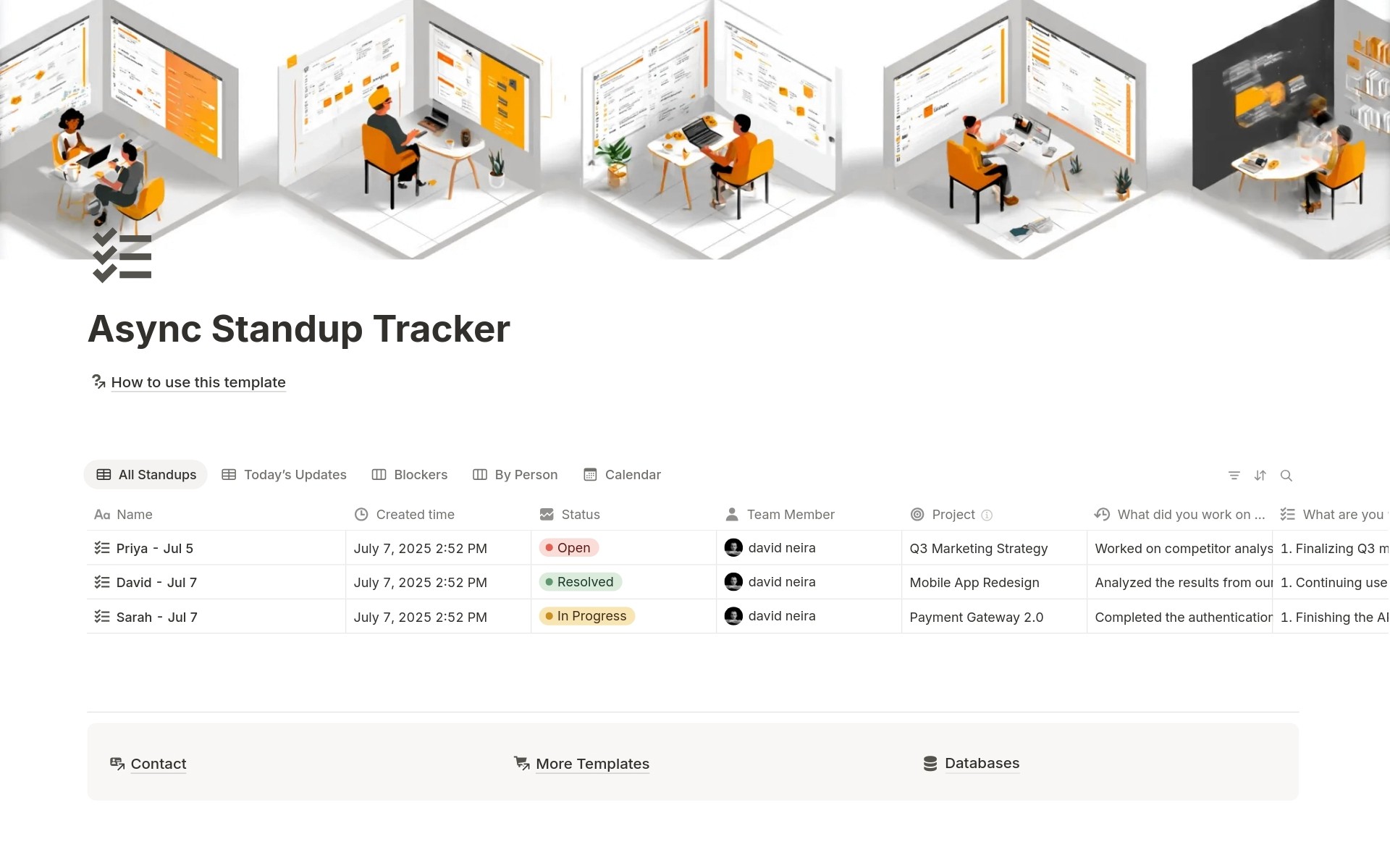
Async Standup Tracker transforms chaotic distributed team communication into systematic daily updates where everyone shares progress, plans, and blockers on their own schedule visible to the entire team without timezone conflicts or meeting overhead. Instead of forcing everyone into real-time meetings or hunting for updates in Slack, team members create daily standup entries documenting what they worked on yesterday, what they're working on today, and any blockers. Status tracking (Open, In Progress, Resolved), priority levels (High, Medium, Low), project tags, and multiple views organize updates so everyone stays informed asynchronously.
What´s Included
Daily Standup Entries
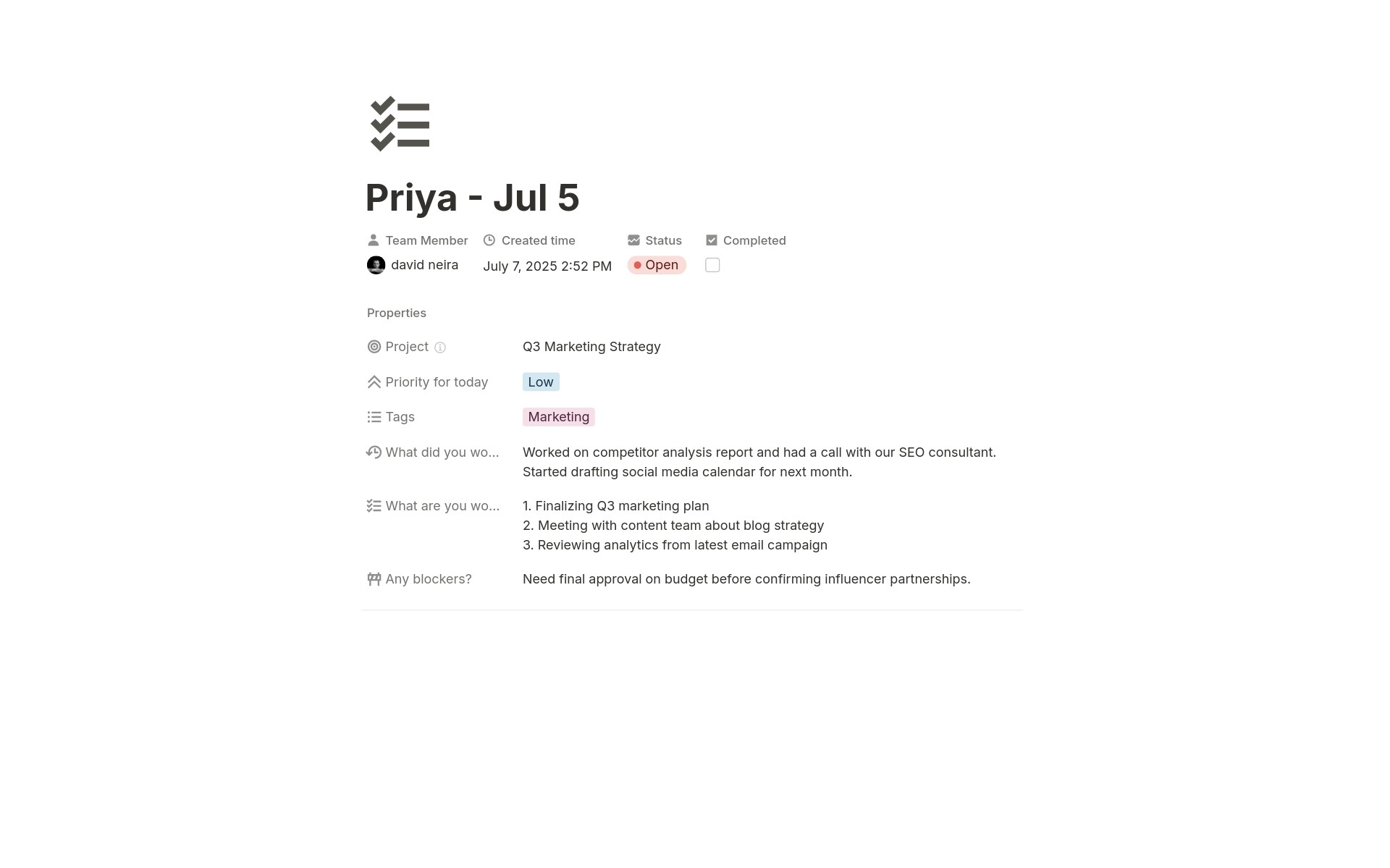
Team members create entries with standup names, automatic creation timestamps, automatic team member attribution, yesterday's work documentation, today's plans, blocker identification, status workflow, priority levels, project associations, tags, and completion checkboxes.
The 3 Classic Standup Questions
Structured fields for the standard standup format: "What did you work on yesterday?" "What are you working on today?" "Any blockers?" Consistent format across all team members.
Automatic Team Member Tracking
Created By property automatically attributes each standup to its author. Know who submitted which updates without manual tagging.
Priority Classification
Mark today's work as High, Medium, or Low priority. Team leads see what team members consider most important and can reallocate if needed.
Project Association
Link standup updates to projects. Understand which projects are active and where effort is going.
Tag-Based Organization
Multi-select tags organize updates by department or work type. Filter to specific team functions.
How It Works
Add Context
Set priority for today's work (High, Medium, Low). Tag with relevant department or function (Design, Engineering, Marketing). Associate with project if relevant. Status defaults to Open.
Monitor Progress
As work progresses, team members can update status and mark entries complete. Calendar view shows consistency of updates over time. By Person view shows each team member's recent activity.
In 2-3 minutes per person per day, your team maintains complete visibility without meetings.
Key Features
The 3 Standup Questions
What did you work on yesterday?
Structured field for documenting completed work from the previous day. Build continuous record of progress. Show stakeholders what was delivered.
What are you working on today?
Structured field for communicating today's plans. Team members know what everyone is focused on. Identify overlapping work or collaboration opportunities.
Any blockers?
Structured field specifically for impediments. Blockers don't hide in prose. Dedicated board view surfaces all blockers for systematic follow-up.
Automatic Team Attribution
Created By Tracking
Each standup entry automatically shows who created it through the Created By property. No manual tagging required. Clear attribution without extra work.
By Person View
Board view automatically groups standups by team member. See each person's recent updates organized together. Monitor individual activity patterns.
Team Visibility
Everyone sees everyone else's updates. Transparency keeps distributed teams aligned without meetings. Know what teammates are working on and where help might be needed.
Time-Based Organization
Automatic Timestamps
The Created Time property automatically records when each standup was submitted. Track update timing without manual date entry.
Today's Updates Filter
Dedicated view automatically filters to today's standup entries. See current team status without scrolling through history.
Calendar View
The visual calendar shows standup submissions over time. Identify gaps where team members didn't submit updates. Monitor consistency patterns.
Blocker Management
Dedicated Blocker Field
Separate field specifically for documenting impediments. Blockers aren't buried in "what I'm working on today" text. Explicit visibility.
Blockers Board View
Kanban board groups standup entries by blocker status. See all active impediments at a glance. Prioritize unblocking team members.
Status Tracking
Move blockers from Open (just identified) to In Progress (being addressed) to Resolved (fixed). Track blocker resolution instead of just noting problems.
Priority and Focus
Priority Levels
Three priority options: High (critical today), Medium (important), Low (nice to have if time). Team members communicate what matters most.
Priority Visibility
Managers see what the team considers the highest priority. Reallocate resources if priorities misalign. Identify if too many people have all High priority items (everything can't be urgent).
Focus Alignment
Compare priorities across team members. Identify if multiple people prioritizing same area (good) or if critical areas lack attention (problem).
Project and Tag Organization
Project Association
Text field for linking standups to projects. (Can be converted to a relation property if you have a projects database.) Track which projects are actively being worked on.
Multi-Select Tags
Tag updates by department (Design, Engineering, Marketing) or add custom tags for your team structure. Filter updates by functional area.
Tag-Based Filtering
Does the engineering manager want to see only engineering updates? Filter to Engineering tag. Cross-functional project needs visibility? Filter to multiple tags.
Completion Tracking
Checkbox for Completion
Simple checkbox marks when planned work is done. Close the loop from "working on today" to "completed."
Progress Visibility
Review completed items to see what the team delivered. Celebrate wins. Track velocity.
Status Workflow
Combine completion checkbox with status workflow (Open → In Progress → Resolved) for detailed progress tracking beyond simple done/not done.
Perfect For
Remote and Distributed Teams
Working across time zones where synchronous daily standups are impossible or inconvenient.
Async-First Companies
Building a culture around asynchronous communication and wanting systematic update mechanisms.
Small Engineering Teams
Needing a lightweight standup system without expensive project management tools.
Agile Teams Using Scrum
Practicing daily standups as part of Scrum methodology, but preferring async format.
Product and Design Teams
Coordinating work across functions and needing visibility into what everyone is doing.
Managers of Remote Direct Reports
Wanting to stay informed about team activity without micromanaging or excessive meetings.
Stop Meeting. Start Updating.
Async Standup Tracker gives you the 3 classic standup questions in structured format, Today's Updates view that auto-filters to show current team status at a glance, dedicated Blockers board that surfaces impediments for systematic follow-up, and automatic team attribution, so your distributed team maintains complete alignment in 2-3 minutes per person instead of 30-minute meetings that only half the team can attend. Are you ready to stop wasting hours on standup meetings that don't work across time zones and start building async visibility that keeps everyone aligned on their own schedule?