Brand Kit Manager
Organize. Access. Deliver. Consistently.
The complete brand asset management system that helps agencies and in-house teams organize logos, typography, colors, guidelines, and files without version confusion and inconsistent brand execution.
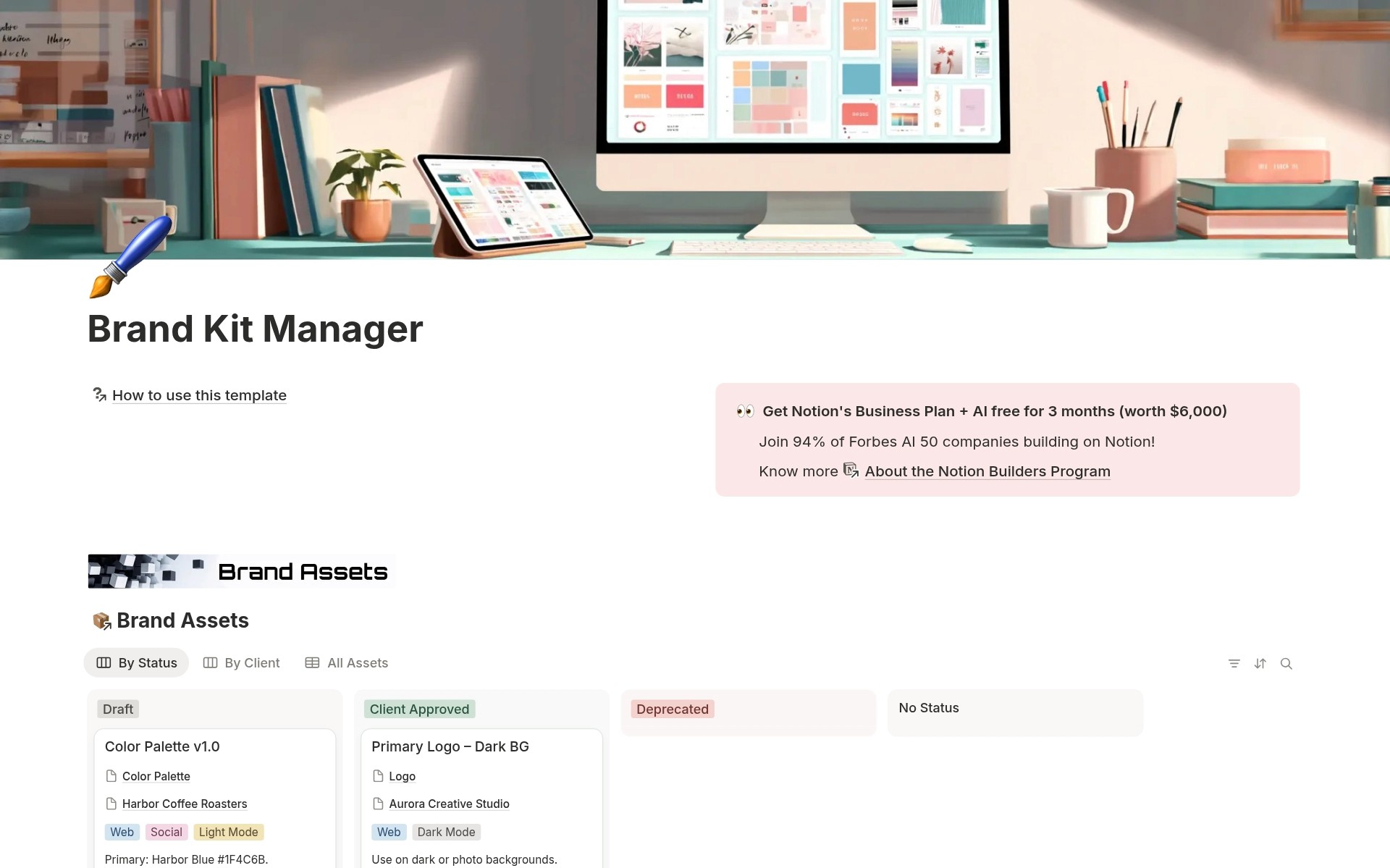
You manage brand assets for multiple clients. Logos in Dropbox. Brand colors in random docs. Typography guidelines in emails. Design files are scattered across Google Drive folders. A team member needs the latest approved logo. They search. Find three versions. Which one is current? They guess. Ship the wrong version. Brand inconsistency everywhere. Client requests brand guidelines. You spend 30 minutes hunting through folders. Find outdated PDF. Client sees deprecated colors. You look unprofessional.
- Brand assets scattered across Dropbox, Google Drive, email attachments, and local folders - Multiple versions of the same asset with no clear indication of which is the latest approved - No central brand guidelines are accessible to the team and clients - Team using outdated logos, wrong colors, and deprecated typography - Client onboarding is delayed because the brand kit isn't organized - No usage guidelines, so the team makes inconsistent brand decisions - Can't track which assets belong to which clients - Feeling stressed about brand consistency instead of confident in asset delivery
Brand Kit Manager transforms scattered brand chaos into an organized asset management system with three connected databases: manage brand assets with versions, approval status, and usage guidelines, organize clients with complete brand kit tracking and asset counts, and categorize by 17 asset types (Logo, Typography, Brand Colors, Imagery, Guidelines, Design System, etc.), all centralized in Notion with team access. Instead of scattered files and version confusion, you upload brand assets with client assignments, asset type classifications (17 types), version numbers, approval status (Draft, Client Approved, Deprecated), usage guidelines, channel tags (Print, Web, Social, Dark Mode, Light Mode), preview images, and file attachments. Everyone accesses the latest approved assets. Brand consistency guaranteed
What´s Included
Brand Assets Database
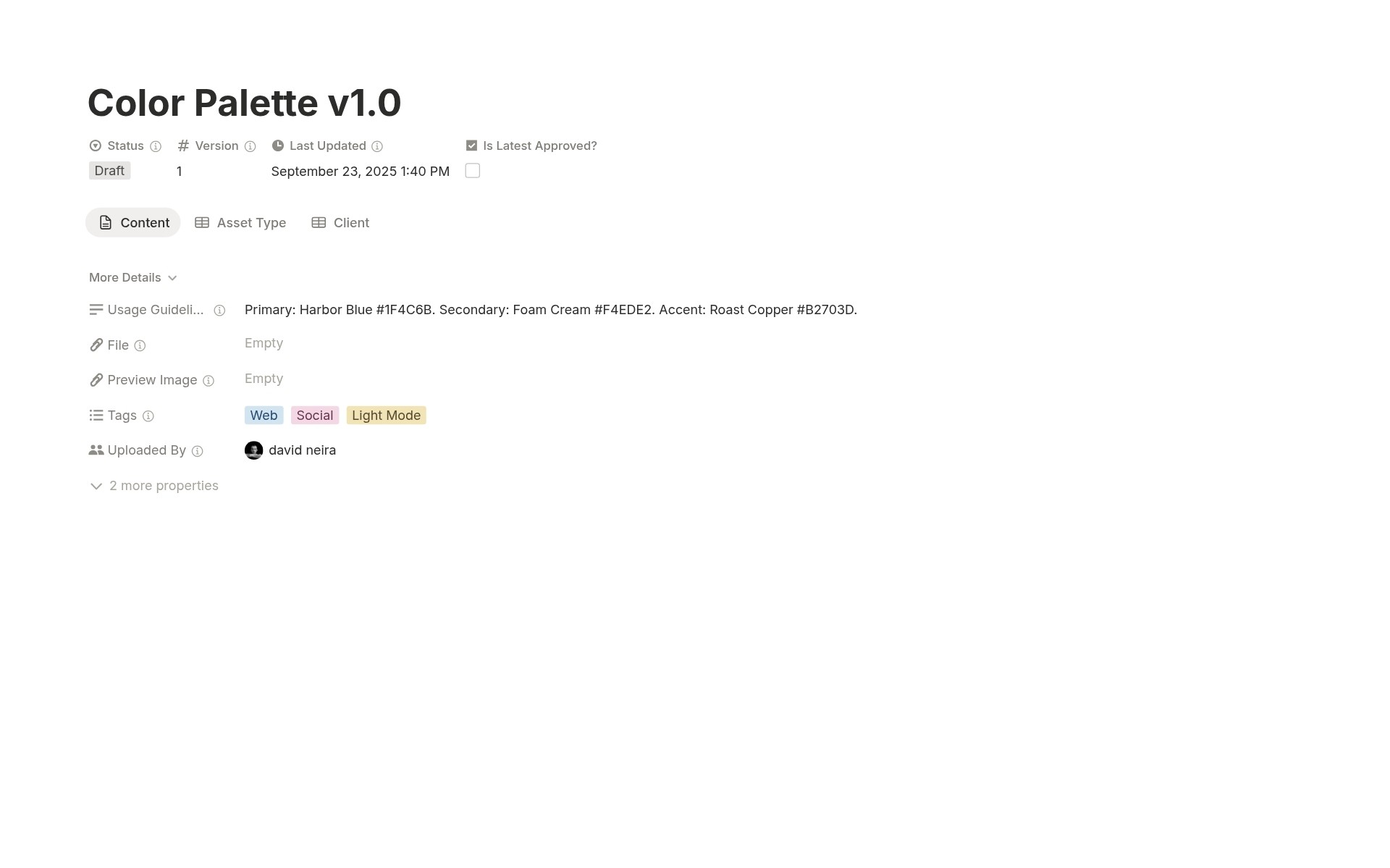
Manage all brand files with asset names, file uploads, preview images, client assignments, asset type classifications, version numbers, status workflow, latest approved checkbox, usage guidelines, channel tags, uploaded by tracking, last updated timestamps, and full-page content areas for detailed documentation.
Clients Database
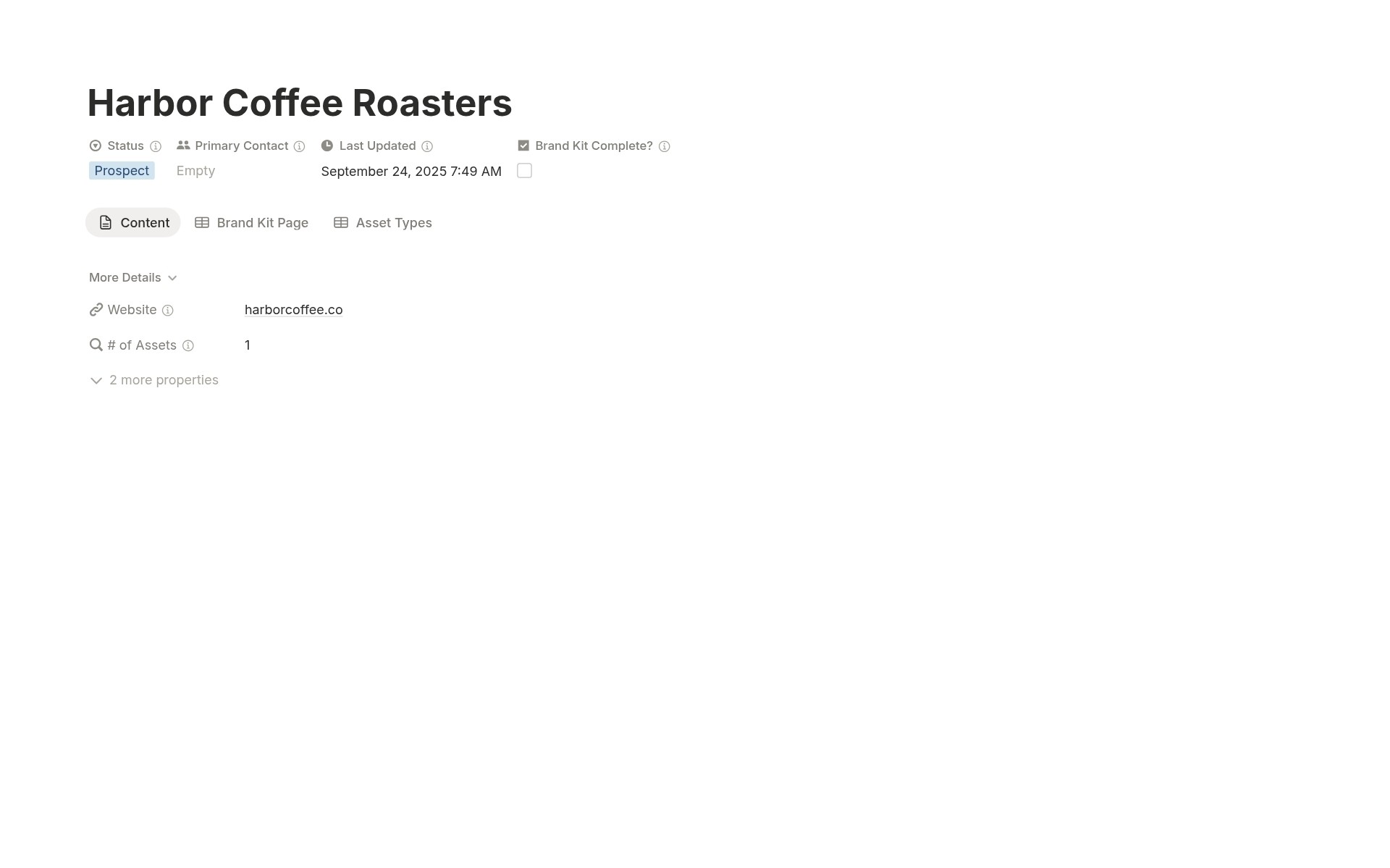
Organize brand kits by client with client names, status workflow, primary contact assignments, website URLs, brand kit complete checkboxes, automatic asset counts, last updated timestamps, links to brand assets, and links to asset types. See the complete client brand portfolio at a glance.
Asset Types Database
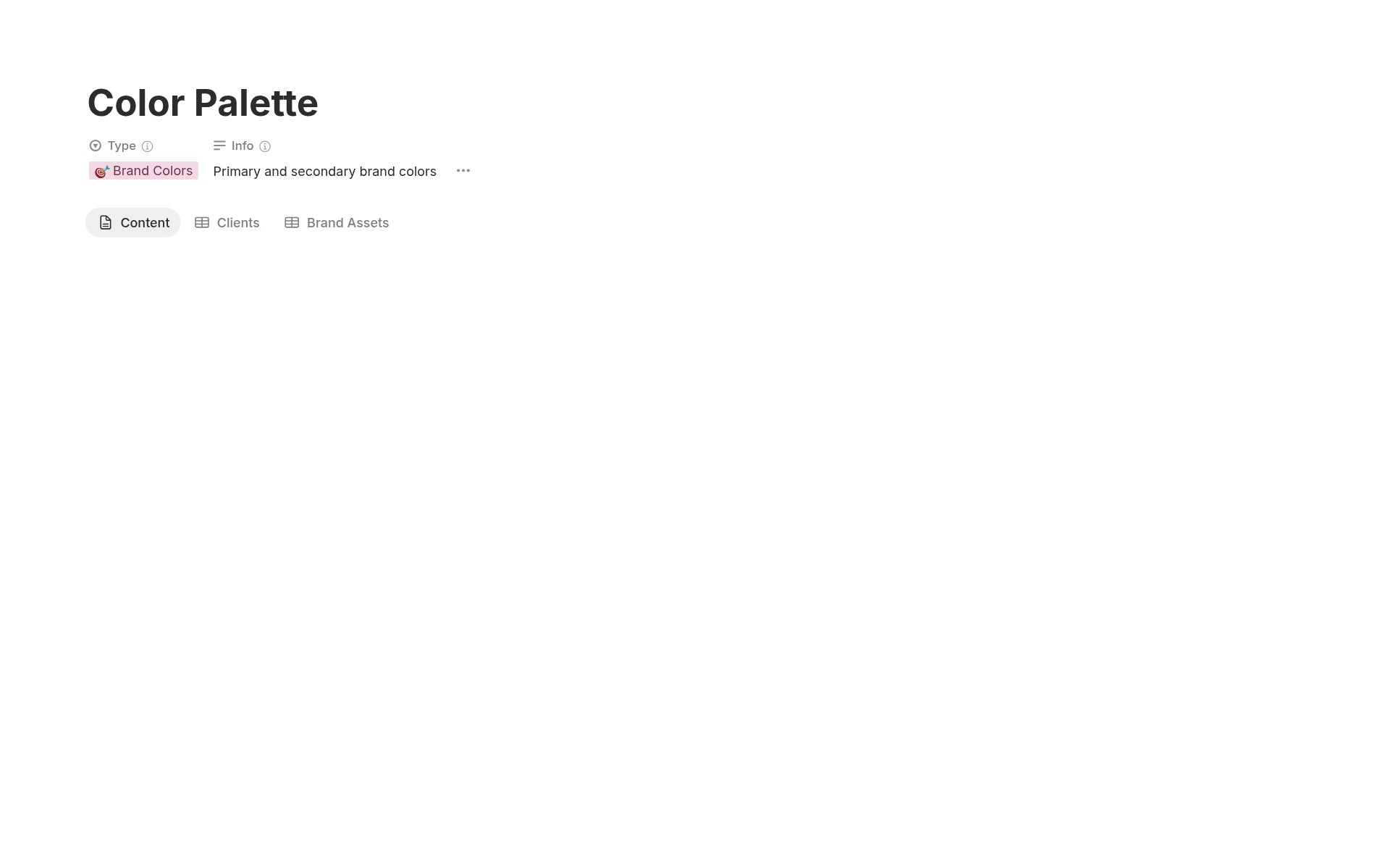
Categorize assets across 17 types with asset type names, type classifications, info descriptions, links to brand assets, and links to clients. Comprehensive brand asset taxonomy.
Usage Guidelines Documentation
Text field on every brand asset captures usage rules: "Use horizontal logo on light backgrounds. Maintain 20px clear space." Team makes consistent decisions without asking.
Multi-Channel Tags
Print, Web, Social, Dark Mode, Light Mode tags organize assets by usage context. Filter to Web assets when building websites. Filter to Social when creating social media graphics.
Client Organization Views
Board views grouped by Client show all brand assets for each client together. Board views grouped by Status show the approval workflow. The table view shows the complete asset inventory.
How It Works
Upload Brand Assets
For each client, create Brand Asset entries. Upload files (logos, guidelines, etc.). Add preview images. Assign to Client. Set Asset Type (Logo, Typography, etc.). Add version number. Set status to Draft initially.
Access and Deliver
Team filters by Client to see all brand assets for the project. Filters to Latest Approved to ensure using the current version. Downloads files directly from Notion. Brand consistency maintained.
In 1 hour, you transform from scattered files to an organized brand asset library with version control.
Key Features
Comprehensive Asset Management
17 Asset Type Categories
🎨 Logo, 🔤 Typography, 🎯 Brand Colors, 🖼️ Imagery, 🖌️ Illustrations, 🧩 Iconography, 📸 Photography, 🗂️ Templates, 🧭 Brand Guidelines, 🧰 Design System, 🧾 Documents, 🖥️ Web Mockups, 📱 Mobile Mockups, 🎬 Motion Graphics, 🧪 Experiments, 🗞️ Press Kit, 🗺️ Brand Strategy. Complete brand asset taxonomy.
File Upload Support
Upload brand files directly to Notion. Logos as SVG, PNG, or EPS. Brand guidelines as PDF. Typography specimens. Color palettes. Everything is centralized, not scattered across cloud storage.
Full-Page Documentation
Each brand asset is a complete Notion page. Add detailed brand guidelines, usage examples, design rationale, and historical context. Rich documentation beyond simple file storage.
Version Control
3-Status Workflow
Draft (work in progress, not approved), Client Approved (authorized for use, brand compliant), Deprecated (outdated, don't use). Clear lifecycle management.
Latest Approved Checkbox
Mark the current authorized version with the Latest Approved checkbox. Team filters to Latest Approved only. Eliminates version confusion. Always ship the correct asset.
Deprecation Management
When a new version is approved, change the old version Status to Deprecated. Historical assets remain accessible for reference but are clearly marked as outdated.
Client Organization
3-Status Client Workflow
Active (current clients with ongoing work), Archived (past clients for reference), Prospect (potential clients in pipeline). Organize by relationship stage.
Brand Kit Complete Tracking
Checkbox marks when the client brand kit is fully uploaded and documented. Track onboarding progress. Know which clients have complete asset libraries.
Automatic Asset Counts
Rollup formula automatically counts brand assets per client. See portfolio size at a glance. "Client A: 47 assets, Client B: 23 assets."
Usage Guidelines System
Asset-Specific Guidelines
Text field on every brand asset documents usage rules: "Horizontal logo: use on light backgrounds with a minimum 20px clear space. Vertical logo: use when horizontal won't fit."
Channel Tags
Print, Web, Social, Dark Mode, Light Mode tags organize assets by usage context. "This logo variation is for Dark Mode and Web only."
Centralized Guidelines Access
Team accesses guidelines alongside assets. No separate brand guideline PDFs to hunt for. Usage rules live with the files they govern.
Multi-Dimensional Filtering
By Client Board View
Kanban board groups brand assets by Client. See all assets for each client together. Navigate by relationship.
By Asset Type Board View
Kanban board groups by Asset Type. See all logos together. All typography together. All brand guidelines together. Navigate by category.
Combined Filtering
Filter and sort simultaneously: "Show me Client Approved Logo assets for Client A tagged for Web." Precision asset discovery.
Connected Brand Ecosystem
Assets to Clients
Brand Assets link to Clients. From the asset, see which client owns it. From the client, see all their brand assets. Bidirectional visibility.
Assets to Asset Types
Brand Assets link to Asset Types. From the asset, see its category. From Asset Type, see all assets in that category. Taxonomic organization.
Asset Types to Clients
Asset Types link to Clients. Track which asset types each client has. Identify gaps: "Client B needs Brand Guidelines and Design System."
Portfolio Management
Client Portfolio Overview
Clients table view shows all clients with asset counts, brand kit completion status, last updated timestamps. Portfolio dashboard at a glance.
Asset Inventory
All Assets table view shows the complete brand asset inventory across all clients. Search, filter, sort by any dimension. Master asset register.
Last Updated Tracking
Automatic timestamps show when assets and clients were last modified. Identify stale brand kits needing review. Maintain a fresh portfolio.
Perfect For
Creative Agencies
Managing brand assets for multiple clients and needing organized delivery and version control.
Brand and Design Studios
Creating brand identities and needing systematic organization of logos, colors, typography, and guidelines.
In-House Creative Teams
Managing brand assets for multiple sub-brands, products, or business units within one organization.
Marketing Teams
Executing brand campaigns and needing access to the latest approved brand assets with clear usage guidelines.
Freelance Designers
Delivering brand work to clients and wanting a professional, organized brand kit presentation.
Brand Managers
Responsible for brand consistency and needing a centralized system for asset governance and distribution.
Stop Guessing. Start Shipping Right.
Brand Kit Manager gives you version control with the Latest Approved checkbox so the team always knows which asset is current, 17 asset type categories organizing everything from logos through design systems, usage guidelines that live with every asset for consistent execution, and connected databases linking assets to clients with automatic counts so you stop shipping wrong versions and start delivering flawless brand consistency every single time. Are you ready to stop gambling on which logo version is correct and start managing brand assets with the professional version control system your agency deserves?