Creative Inspiration Hub
Capture. Organize. Create.
The complete creative reference system that helps designers and creatives collect inspiration, organize into collections, track projects, and maintain sources without lost bookmarks and inspiration overload.
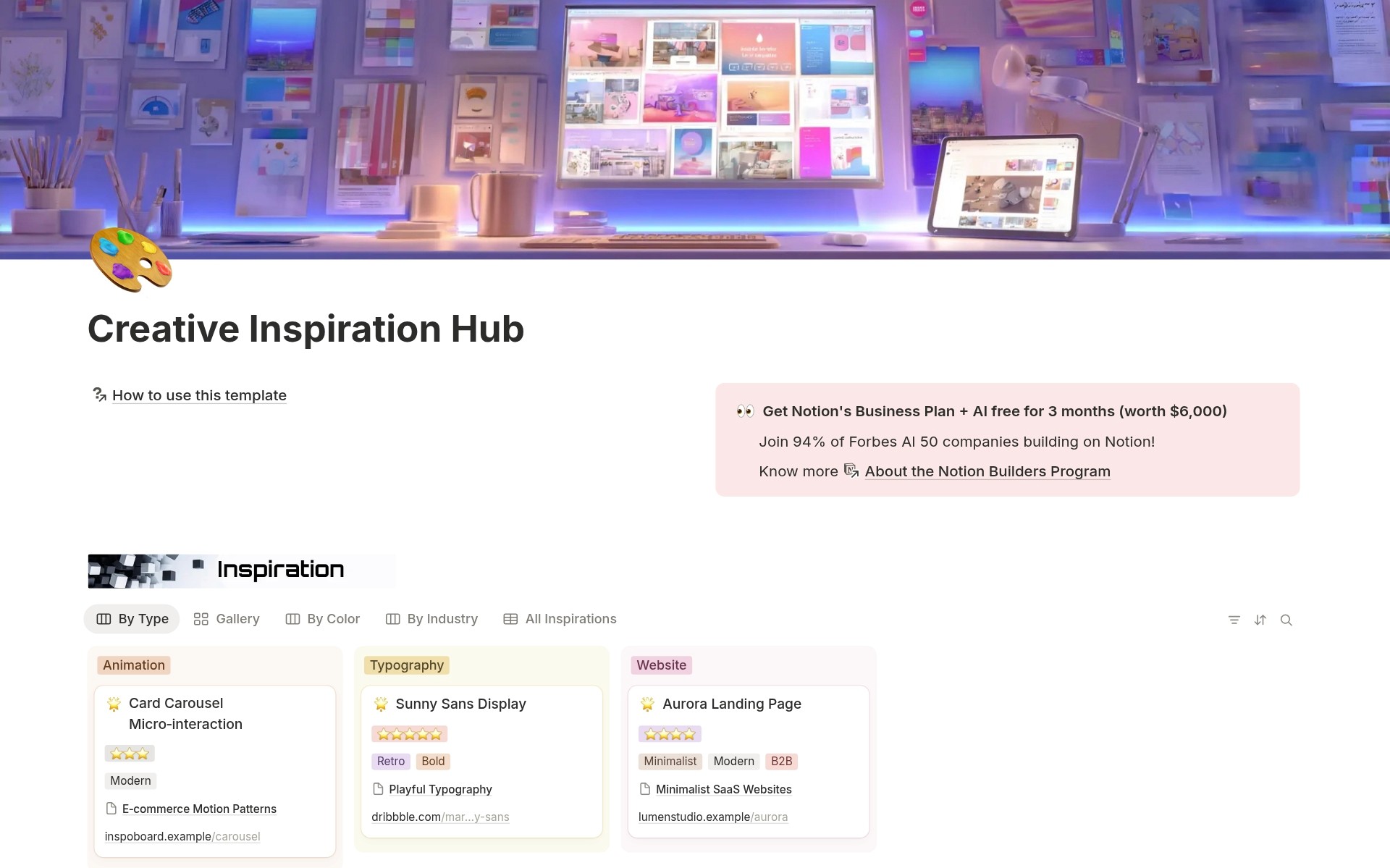
You see inspiring design everywhere. Websites. Apps. Branding. Typography. Photography. You bookmark them, screenshot them, save links in random places. Weeks later, you start a new project. You remember seeing the perfect color palette. Or that brilliant layout. But where? You search browser bookmarks, Dropbox screenshots, Pinterest boards, and Instagram saves. Can't find it. Your inspiration is scattered chaos. No organization by color, type, or style. No way to group references for specific projects. You waste hours re-searching for inspiration that you already captured.
- Design inspiration scattered across bookmarks, screenshots, Pinterest, Instagram saves - No systematic way to organize references by type, color, style, or industry - Can't find that perfect layout or color palette when you need it - No collections for grouping inspiration by project, client, or trend research - Lost track of where inspiration came from (sources not documented) - Can't see which inspiration you've actually used in projects - Screenshots without context (no notes on why it inspired you) - Feeling overwhelmed by inspiration instead of energized by organized reference
Creative Inspiration Hub transforms scattered references into an organized design library with four connected databases: capture inspiration items with detailed metadata, organize into themed collections, link to projects where inspiration was used, and track sources where great design comes from, all visually organized in Notion. Instead of random bookmarks and forgotten screenshots, you save inspiration with 11 types, organize by dominant color, tag with style attributes, rate with stars, group into curated collections, and link to actual projects. Find any reference in seconds through visual galleries, color-based boards, or industry filters.
What´s Included
Inspiration Items Database
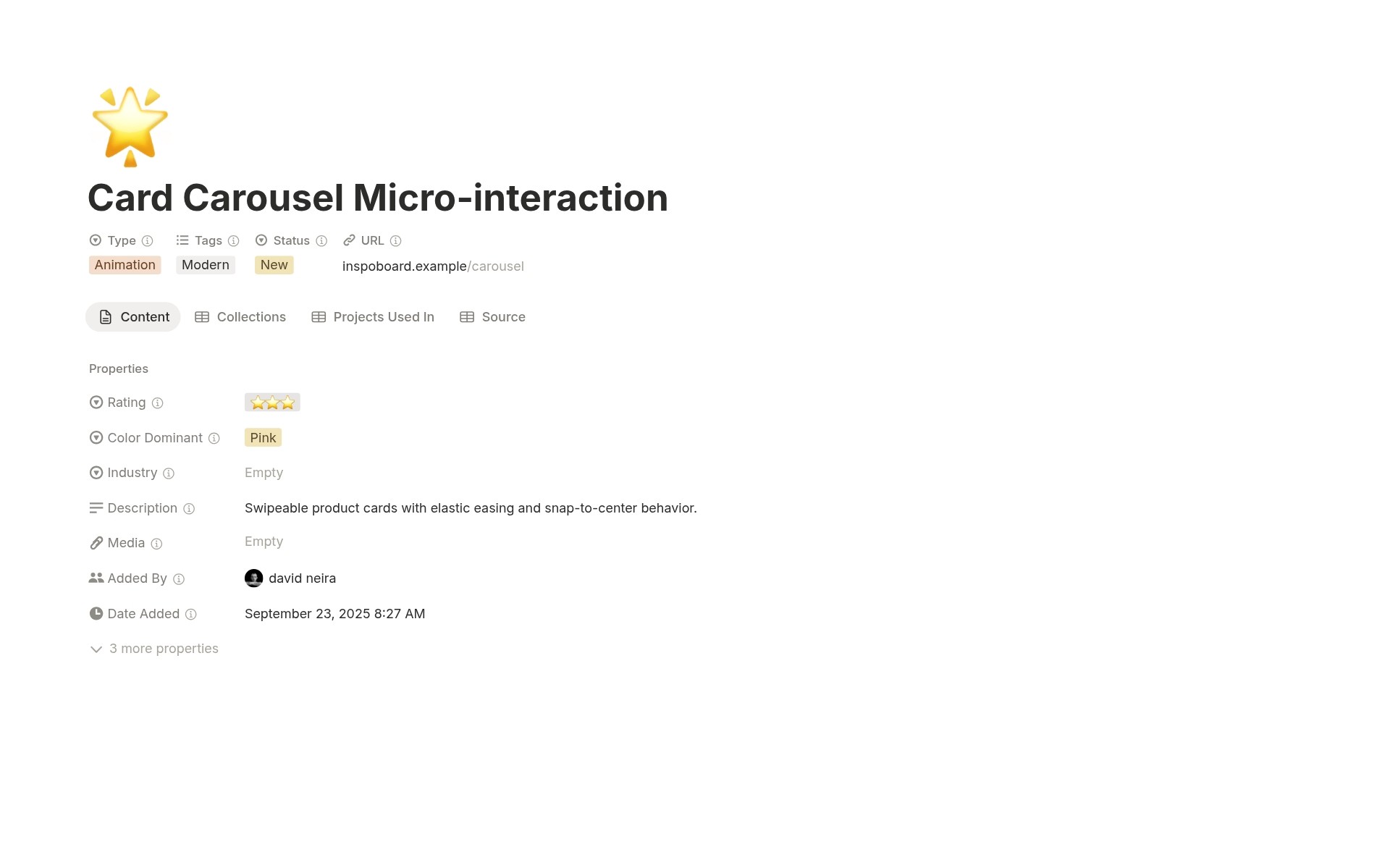
Capture creative references with titles, URLs, uploaded media, descriptions, types, industries, style tags, 5-star ratings, status workflow, added by tracking, date added timestamps, links to collections, projects used in, and sources.
Collections Database
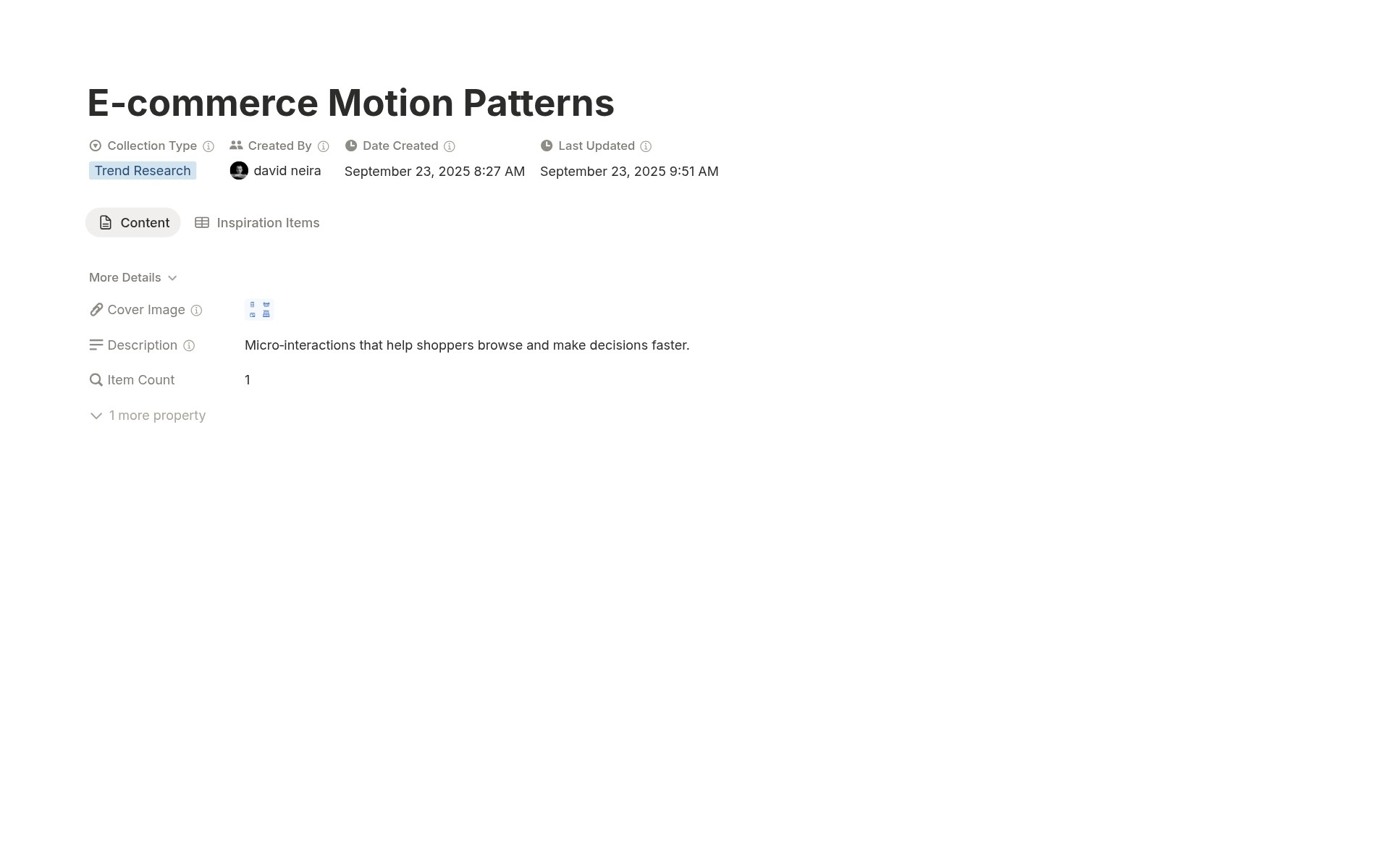
Organize inspiration into themed groups with collection names, descriptions, collection types, cover images, item counts, created by tracking, creation dates, last updated timestamps, and links to inspiration items. Create mood boards and curated reference sets.
Projects Database
Track creative projects and link to inspiration used with project names, clients, project types, status workflow, start dates, team leads, automatic inspiration counts (rollup), and links to inspiration items used. See which references influenced the actual work.
Visual Organization System
Gallery views with image covers show inspiration visually. Board views organized by Type, Color, Industry, Collection Type, Project Status, Source Type. Find references through multiple visual perspectives.
Complete Connected Workflow
Inspiration Items link to Collections, Projects, and Sources. Collections link back to Items. Projects link to Items. Sources link to Items. Bidirectional visibility throughout the creative workflow.
Rating and Review System
5-star rating system. Status workflow tracks review progress. Mark the best references as Ready to Use. Archive outdated inspiration. Maintain a quality reference library.

How It Works
Organize into Collections
Create Collections for specific purposes: "Q4 2025 Website Trends," "Healthcare Client Inspiration," "Minimalist Branding Examples." Link relevant Inspiration Items to Collections. Build curated reference sets.
Link to Projects
When starting creative projects, create Project entries. As you use inspiration, link Items to Projects. Track which references influenced your work. Build institutional knowledge.
In 30 minutes, you transform from scattered bookmarks to an organized visual reference library.
Key Features
Comprehensive Capture System
11 Inspiration Types
Website, App Design, Branding, Typography, Photography, Illustration, Animation, Layout, Color Palette, Packaging, Print Design. Categorize inspiration by creative discipline.
Rich Media Support
Upload screenshots, photos, and PDFs directly to inspiration items. No external storage needed. Visual references live in your database with metadata.
URL and Context Documentation
Store source URLs for revisiting live sites. Write descriptions explaining why each item inspires you. Capture not just what, but why.
Visual Organization
11 Dominant Colors
Red, Orange, Yellow, Green, Blue, Purple, Pink, Brown, Black, White, Gray. Tag every inspiration item with the primary color. Board view groups by color for visual discovery.
Gallery Views with Image Covers
See inspiration visually through gallery layouts using uploaded media as covers. Scan references like flipping through a physical mood board.
Board Views by Visual Attributes
Organize inspiration by Type (see all websites together), Color (see all blue designs together), Industry (see all tech examples together), Tags (see all minimalist work together).
Collection Curation
5 Collection Types
Trend Research (industry trend tracking), Client Inspiration (references for specific clients), Style Guide (brand and style direction), Competitive Analysis (competitor reference), and Personal Favorites (best-of-best collection). Purpose-driven organization.
Automatic Item Counts
Rollup formula automatically counts inspiration items in each collection. Know the collection size at a glance.
Bidirectional Linking
From Collections, see linked Items. From Items, see which Collections include them. Navigate the reference library from any entry point.
Project Integration
Track Inspiration Usage
Link Inspiration Items to Projects where they were used. Build institutional knowledge about which references influenced actual creative work.
Project Types
Website, App, Branding, Print. Organize creative projects by discipline.
3-Stage Status Workflow
Planning → In Progress → Complete. Track project lifecycle alongside inspiration usage.
Source Management
Source Types
Design Agency, Individual Designer, Inspiration Site, Stock Photo, Behance, Dribbble. Categorize where inspiration originates.
Quality Rating System
High, Medium, and Low quality ratings identify the best sources for future discovery. Focus time on the highest-quality channels.
Notes and Context
Document what makes each source valuable. "Excellent for modern tech branding" or "Best minimalist photography."
Smart Tagging System
Style Tags
Minimalist, Bold, Retro, Modern, B2B, E-commerce, Healthcare. Multi-select tags enable complex filtering. Tag one item with multiple styles.
Industry Options
Tech, Fashion, Food & Beverage, Healthcare, Finance. Organize inspiration by industry context. Find references relevant to your sector.
Combined Filtering
Filter by multiple dimensions: "Show me Bold Branding from Tech industry with 4+ stars." Precision discovery through layered filters
Rating and Review
5-Star Rating System
⭐ (interesting) to ⭐⭐⭐⭐⭐ (exceptional). Quantify inspiration quality. Filter to highest-rated references when needed.
Status Workflow
New (just captured) → Reviewed (evaluated) → Ready to Use (curated for projects) → In Progress (currently using) → Archived (outdated or no longer relevant). Lifecycle management for inspiration.
Quality Curation Over Time
Review New items periodically. Promote the best to Ready to Use. Archive outdated inspiration. Maintain a high-quality reference library that improves over time.
Perfect For
Graphic and Web Designers
Capturing design inspiration across projects and needing an organized visual reference library.
Creative Directors and Art Directors
Curating mood boards and style direction for clients and teams.
UX/UI Designers
Collecting interface design patterns and app inspiration systematically.
Brand Designers
Organizing branding, typography, and color palette references by industry and style.
Creative Agencies
Sharing inspiration libraries across teams and tracking references used in client projects.
Freelance Creatives
Building a personal inspiration library organized by project type and visual style.
Stop Searching. Start Creating.
Creative Inspiration Hub gives you visual galleries with uploaded media so you scan references like a physical mood board, 11 color options with board views that group all purple designs together, 11 types organizing websites separate from branding separate from typography, and Collections for curating project-specific mood boards so you find that perfect reference in 10 seconds instead of wasting 30 minutes re-searching for inspiration you already captured. Are you ready to stop losing hours to scattered bookmarks and start building a visual reference library where every color palette, layout, and design example is instantly findable when creative inspiration strikes?