Graphic Design Library
Organize. Access. Create. Deliver.
The complete design asset management system for agencies, studios, and creative teams who need centralized library of logos, templates, mockups, and brand guidelines without scattered drives, lost files, and hours searching for the right asset.
You're creating social media graphics for a client. You need their logo. Where is it? Google Drive? Dropbox? Designer's local machine? Email attachment from 3 months ago? You ask the team. "Does anyone have the latest Client X logo?" Three people sent three different versions. Which is current? Nobody knows. You find the old version. Use it. Client: "That's our deprecated logo. We rebranded 6 months ago." Project delayed. Client frustrated. Team wastes hours on file archaeology instead of creative work.
- Design assets are scattered across Google Drive, Dropbox, local machines, and email attachments - No centralized library of logos, icons, templates, mockups, and brand guidelines - Hours wasted searching for the right version of client logos and brand assets - Using outdated or wrong assets because the current versions can't be found - No organized system for templates, mockups, fonts, and color palettes - Can't track which assets belong to which clients or projects - No approval workflow for design requests and asset creation - Feeling like file management is chaos instead of a streamlined library
Instead of file archaeology across drives, you create organized library: upload assets with proper categorization and metadata, link assets to clients and projects, track versions and usage, store templates by platform and type, manage brand guidelines centrally, process design requests through approval workflow, and search by asset type, category, tags, client, or project. Find any asset in seconds. Team alignment automatic.
What´s Included
Master Assets Database
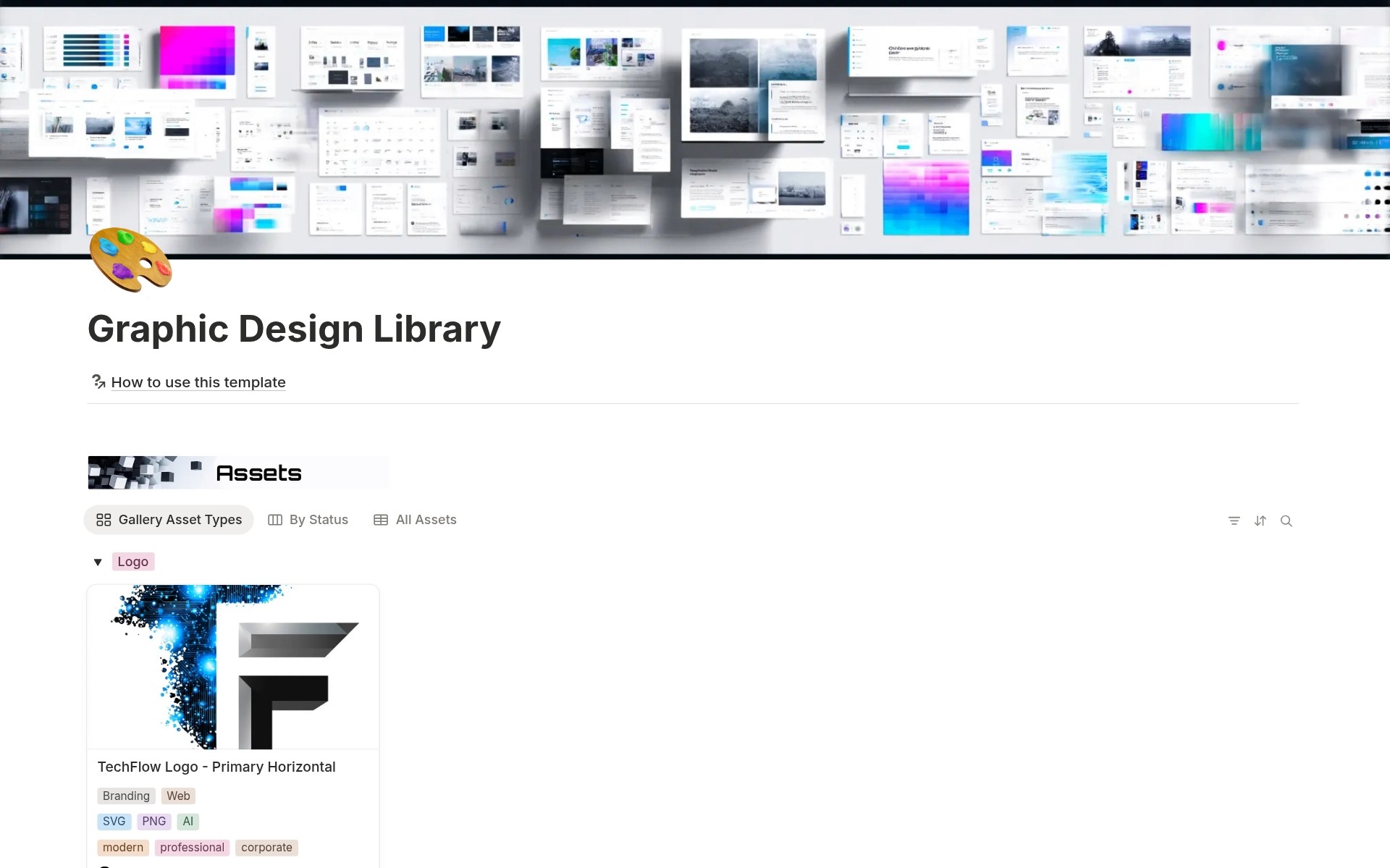
Central library for all design files with Asset Name, Asset Type, Status workflow, Category, File Format, File Link, Source/Platform, Thumbnail, Primary Color, License, Dimensions, Version, Usage Count, Tags, Notes, Created By, Last Updated, and relations to Brand Guidelines Hub, Client, Project, and Request & Approval Workflow. Complete asset metadata.
Templates & Resources Database
Reusable template library with Template Name, Type, Platform, Dimensions, Customizable Elements, File Link, Thumbnail, and Last Used date. Organized template collection.
Projects Database
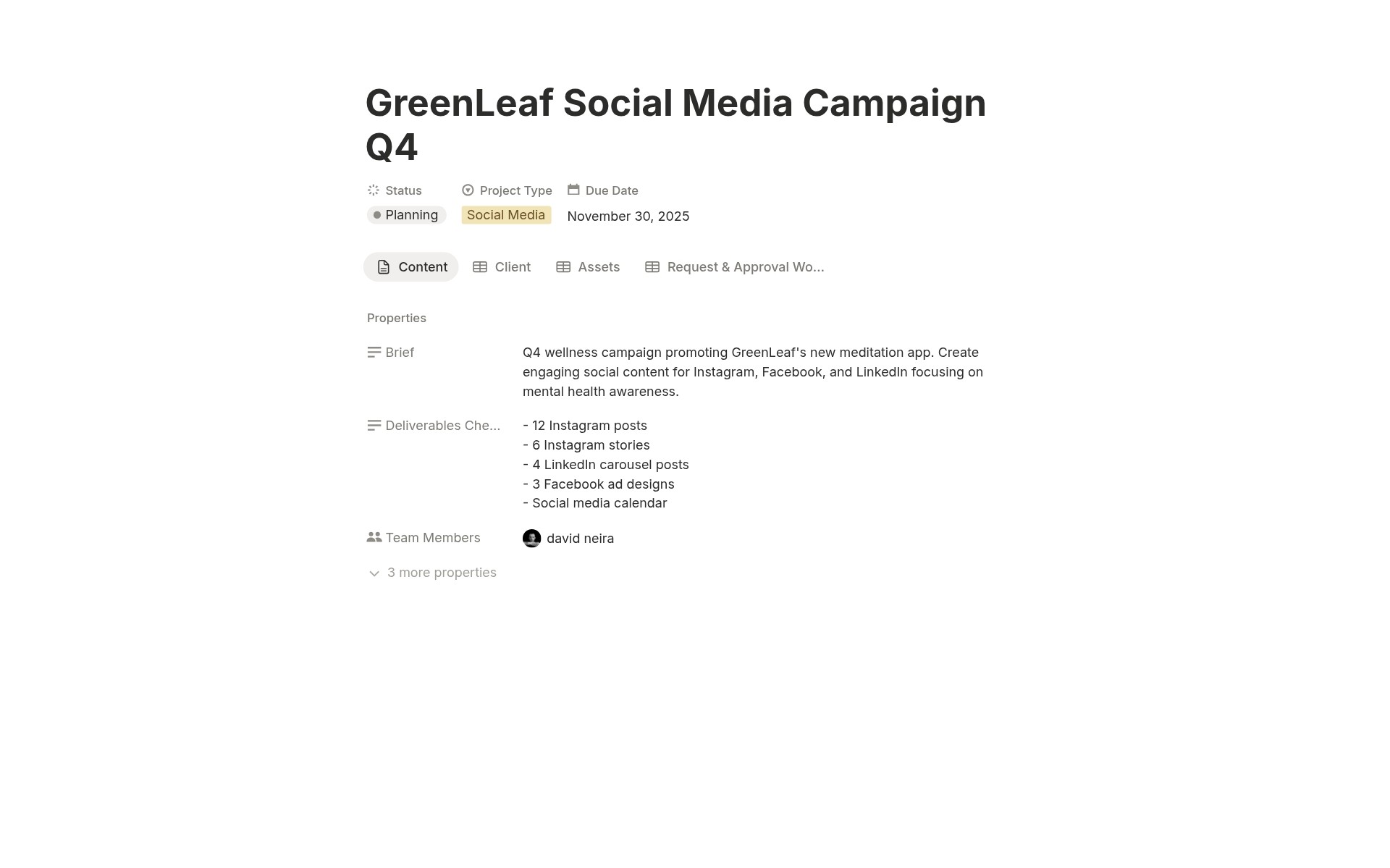
Project tracking with Project Name, Client relation, Project Type, Status, Due Date, Brief, Deliverables Checklist, Team Members, Assets relation, Request & Approval Workflow relation. Link assets to active projects.
Brand Guidelines Hub Database
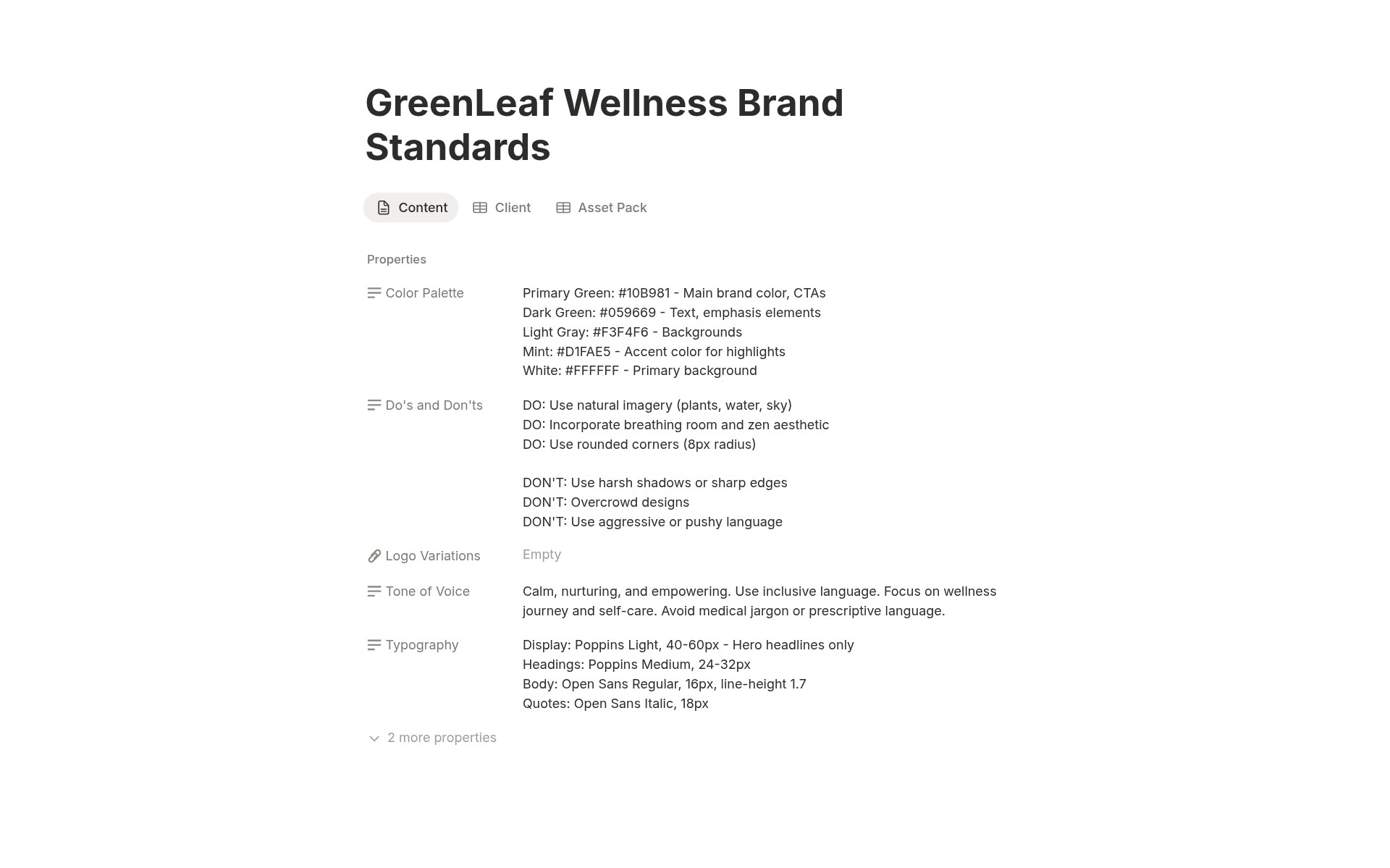
Brand standards repository with Brand Name, Client relation, Color Palette, Typography, Tone of Voice, Logo Variations, Do's and Don'ts, Asset Pack relation. Centralized brand guidelines.
Clients Database
Client organization with Client Name, Industry, Contact Person, Active Since, Brand Colors, Brand Guidelines, Assets relation, Logo Files relation, Projects relation, Brand Guidelines Hub relation. Complete client context.
Complete Connected Workflow
Master Assets link to Clients, Projects, Brand Guidelines, and Request Workflow. Templates organized by Platform. Projects link to Assets and Requests. Requests link to Projects and Deliverables. Brand Guidelines link to Clients and Assets. Clients link to everything. Full traceability.
How It Works
Process Design Requests
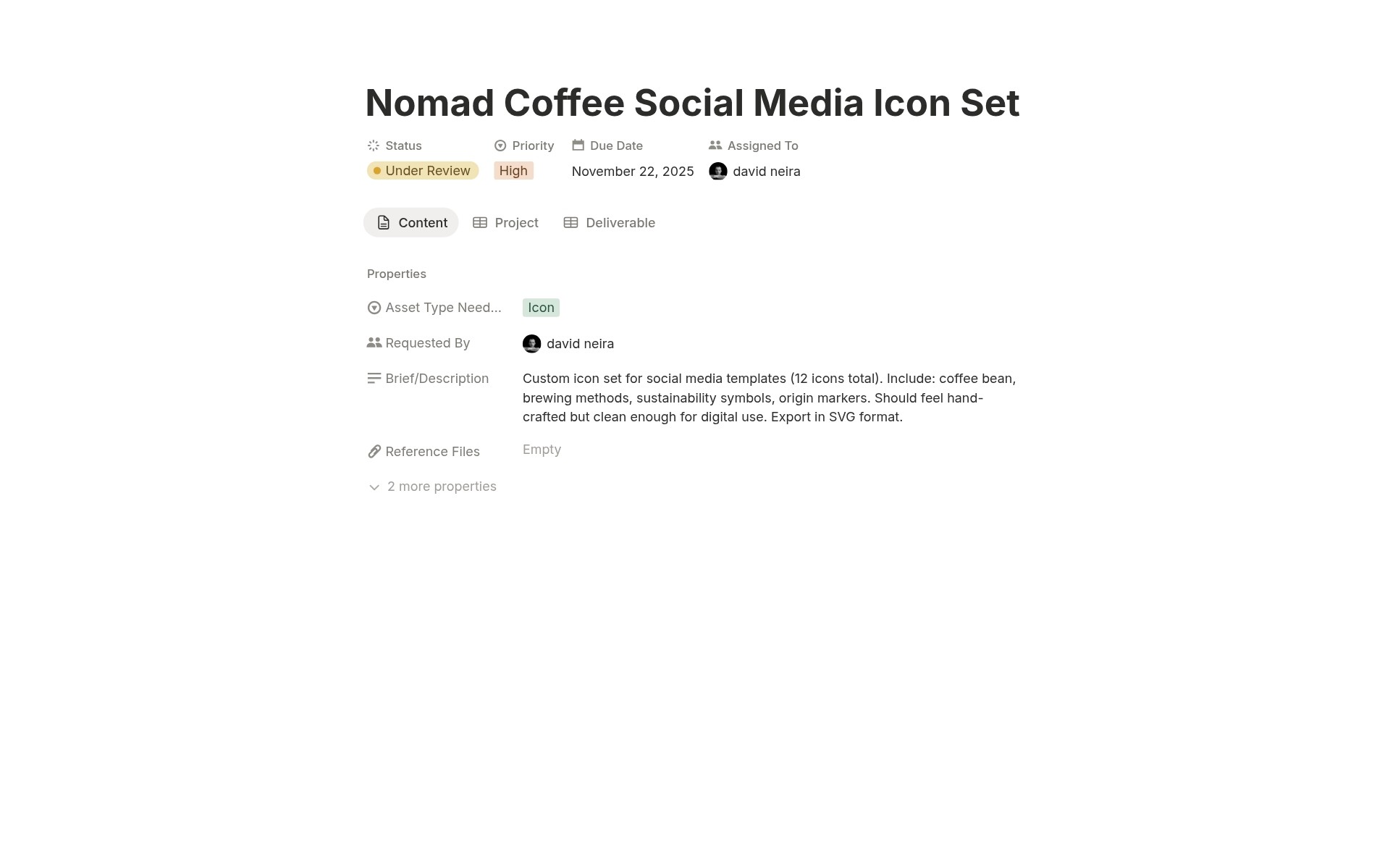
Team members create Requests in the Request & Approval Workflow. Set Request Title, Asset Type Needed, Priority, Due Date, and Brief/Description. Upload Reference Files. Assign To designer. Track through the Status workflow. Link completed asset as Deliverable.
Search and Access
Need client logo? Filter Master Assets by Client. Need social media template? Filter Templates by Platform = Instagram. Need brand colors? Check Brand Guidelines Hub. Find any asset in seconds using filters, views, and search.
That's it. In one organized library, you transform from scattered file chaos to centralized asset management with instant access.
Key Features
Comprehensive Asset Library
11 Asset Type Categories
Icon, Logo, Template, Mockup, Photo, Illustration, Font, Color Palette, Brand Guideline, Video, 3D Asset. Every design asset type is covered.
Complete Metadata
Not just file upload. Asset Name, Type, Category, Format, Dimensions, Version, License, Source, Color, Tags, Notes, Usage Count, Thumbnail. Complete context for every asset.
Visual Gallery View
Gallery view with thumbnails grouped by Asset Type. Browse assets visually. Find what you need without opening files.
Template Management
Template Type Classification
6 types (Social Post, Email Header, Presentation, Pitch Deck, Proposal, Invoice). Purpose-based organization.
Customizable Elements Documentation
Document what can be edited in the template. "Text, colors, logo placement are editable." "Background image fixed." Usage instructions built-in.
Quick Access
Board view grouped by Platform. Find Instagram templates instantly. Access LinkedIn templates quickly.
Request & Approval Workflow
6-Status Request Lifecycle
Submitted (new request) → In Progress (designer working) → Under Review (stakeholder reviewing) → Approved (ready to use) OR Rejected (not approved) → Completed (delivered). Complete request tracking.
Request Assignment
Requested By (who needs the asset) and Assigned To (who creates it). Clear ownership. Accountability.
Project Linking
Link requests to Projects. See all design requests per project. Track project-specific assets.
Brand Guidelines Management
Centralized Brand Standards
Brand Guidelines Hub stores all client brand standards in one place. No scattered brand guideline PDFs.
Do's and Don'ts
Do's and Don'ts field with usage rules. "Do: Use on white background. Don't: Stretch or distort logo."
Asset Pack Linking
Asset Pack relation links to all brand assets (logos, colors, fonts, templates) in Master Assets Database. Complete brand asset collection.
Client Organization
Client-Centric Asset Management
Every asset can be linked to a client. Filter Master Assets by Client. See the complete client asset library instantly.
Industry Classification
11 industry categories. Tag clients by industry. Build industry-specific portfolios. Identify specializations.
Project History
Projects relation shows all projects per client. Multi-project client relationships visible.
Project-Asset Integration
Project Asset Tracking
Projects Database links to Assets. See which assets are used in each project. Track asset usage across projects.
Deliverables Checklist
Deliverables Checklist field for project deliverables. Track what's needed. Check off as completed.
Team Assignments
Team Members property. Assign projects to the team. See workload distribution.
Perfect For
Design Agencies and Studios
Managing asset libraries for multiple clients with organized brand guidelines and templates.
In-House Creative Teams
Centralizing design assets, templates, and brand guidelines for internal teams.
Freelance Designers
Organizing client assets, templates, and projects professionally.
Marketing Teams
Accessing brand-approved assets, templates, and guidelines quickly.
Brand Managers
Maintaining brand consistency with centralized guidelines and asset control.
Creative Directors
Overseeing asset creation, approval workflows, and brand standards.
Stop Searching. Start Creating.
Graphic Design Library gives you 6 connected databases managing all design assets: Master Assets Database with asset types, file formats, version tracking with deprecated status, thumbnail previews in visual gallery, Brand Guidelines Hub with color palettes and typography, Request & Approval Workflow managing design requests through 6-status process, Clients Database organizing assets by client with complete asset collections, and Projects Database linking assets to active work. Are you ready to stop losing hours to file archaeology and start running a professional design operation where every asset is organized, every version is tracked, and every team member can access exactly what they need in seconds instead of hours?