Living SOPs Design Agency Edition
Document. Connect. Improve. Repeat.
The complete SOP management system built specifically for design agencies who need living procedures that connect to real projects, departments, and continuous improvement without static PDF binders gathering digital dust.
You run a design agency. Quality matters. Consistency is your brand. But every designer does things differently. You write SOPs. Save as PDFs. Store in Google Drive. Designers never look at them. Processes drift. Quality varies by who's working. You try to enforce SOPs. "Follow the brand kickoff process!" But SOPs are disconnected from actual projects. No one knows if they're using the current version. Updates require rewriting entire documents. Client complaints surface issues. "Why wasn't this in the style guide?" "Who approved this without QA?" You realize your SOPs are outdated. Designers improvised. Quality suffered.
- SOPs stored as static PDFs that nobody reads or follows - No connection between documented procedures and actual project work - Designers are improvising processes because SOPs are outdated or hard to find - Quality inconsistency across projects and team members - No systematic way to improve SOPs based on project learnings - Can't track which SOPs belong to which departments or project types - Updates require rewriting entire documents and redistributing to the team - Feeling like SOP management is busywork that doesn't improve operations
Instead of static PDFs gathering dust, you create living SOPs connected to real work: SOPs link to Projects showing what's actually used, Projects generate Improvement Queue items when processes fail, Improvement Queue updates SOPs systematically, Departments own and review SOPs regularly, Processes show SOP sequences across departments, Resources provide templates within SOPs. Quality becomes systematic, consistency becomes measurable, improvement becomes automatic.
What´s Included
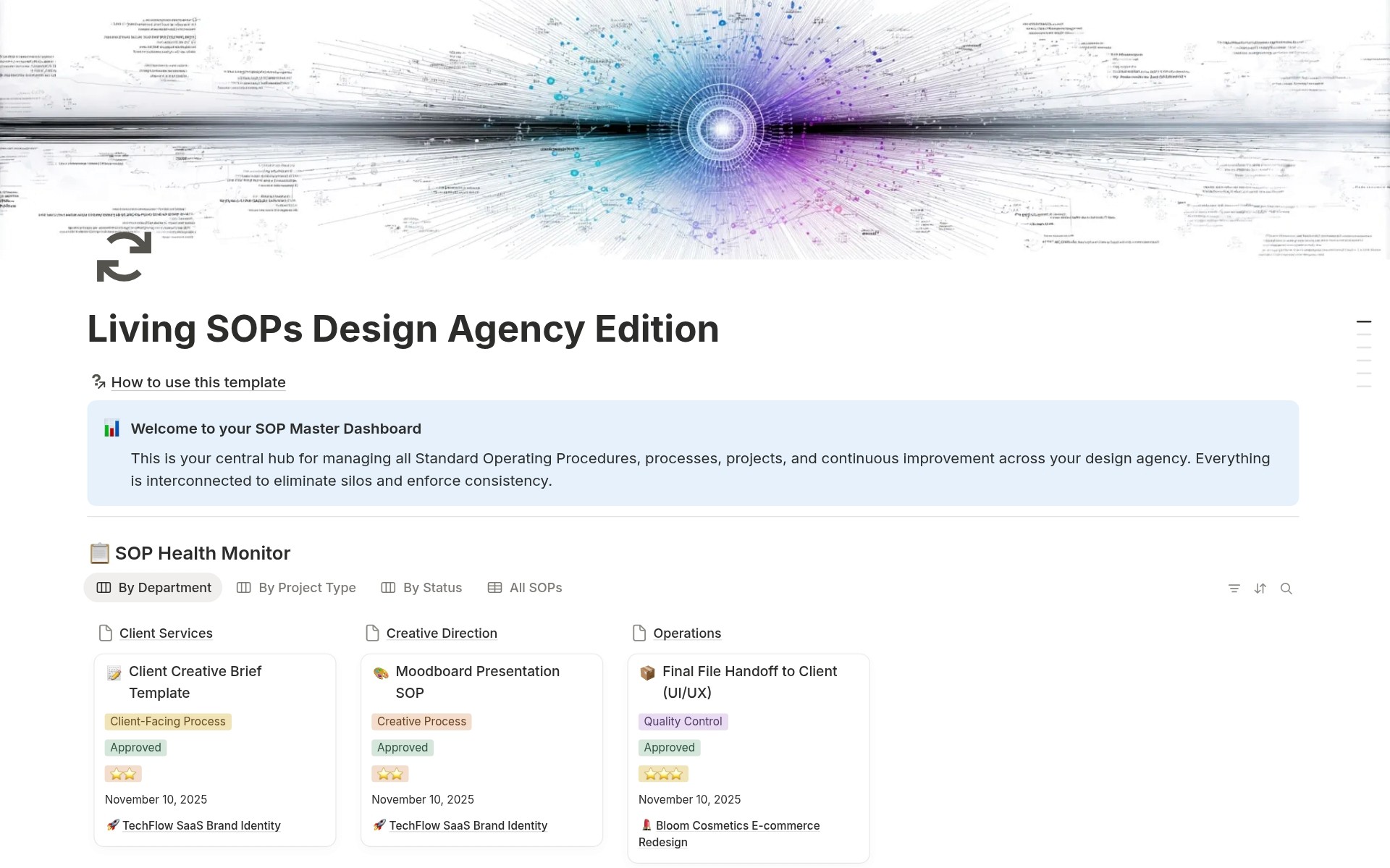
SOP Health Monitor
Manage all standard operating procedures with SOP titles, status workflow, complexity ratings, process categories, project types, last reviewed dates, reviewer assignments, owner department links, process relations, linked projects tracking, and resource connections. Complete SOP inventory.
Process Library
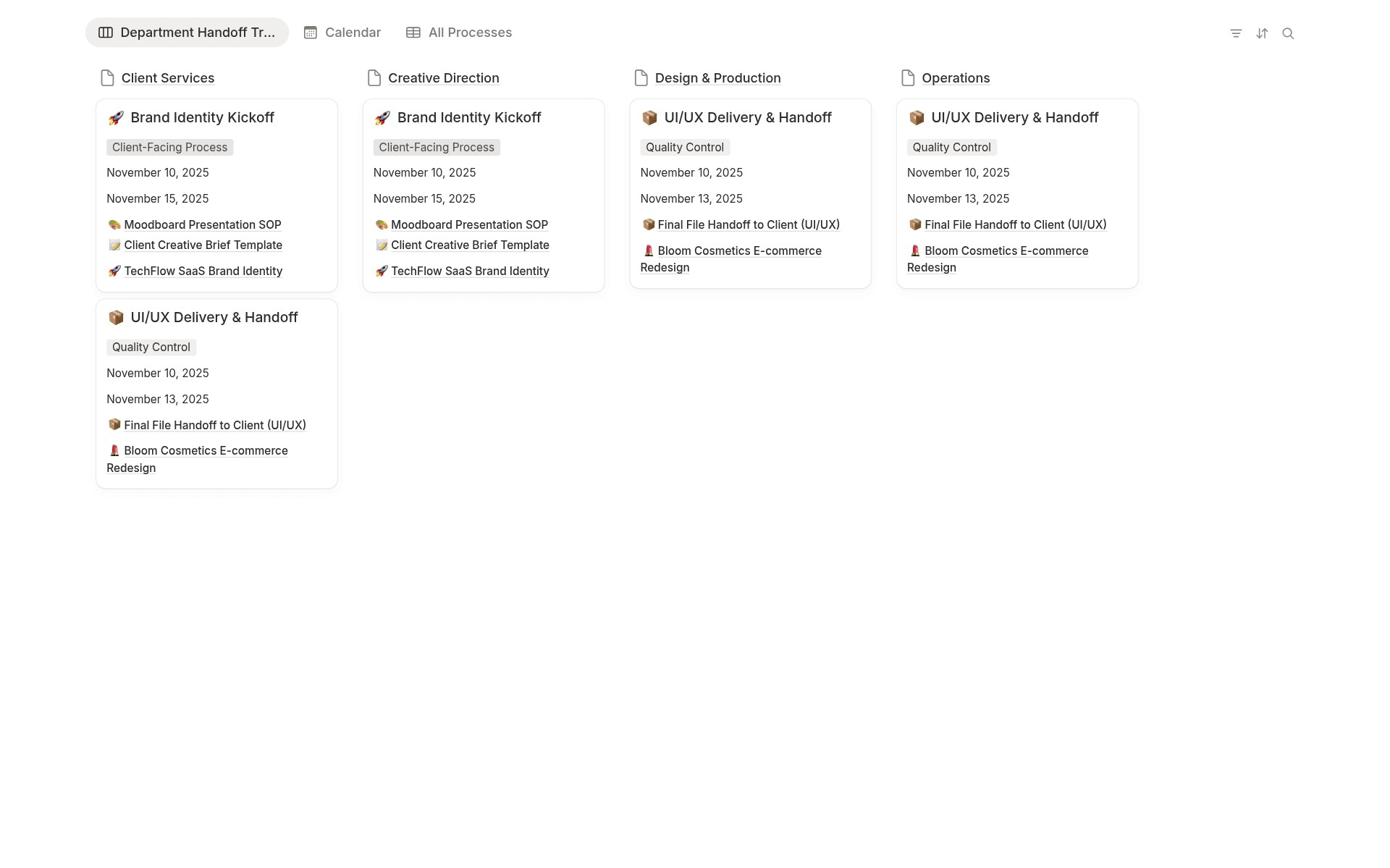
Organize end-to-end workflows with process names, categories, department sequence showing handoffs, duration tracking, start/end dates, failure points documentation, process flowchart uploads, SOPs in process relations, and projects using the process. See how SOPs combine into complete workflows.
Projects Pipeline
Track real project execution with project names, clients, project types, phase workflow, team member assignments, SOPs used tracking, active processes links, quality scores, and lessons learned documentation. Connect SOPs to actual work.
Resources & Templates
Organize supporting materials with resource names, types, file uploads, preview images, last updated dates, and used in SOPs. Templates and tools right where needed.
Complete Connected Workflow
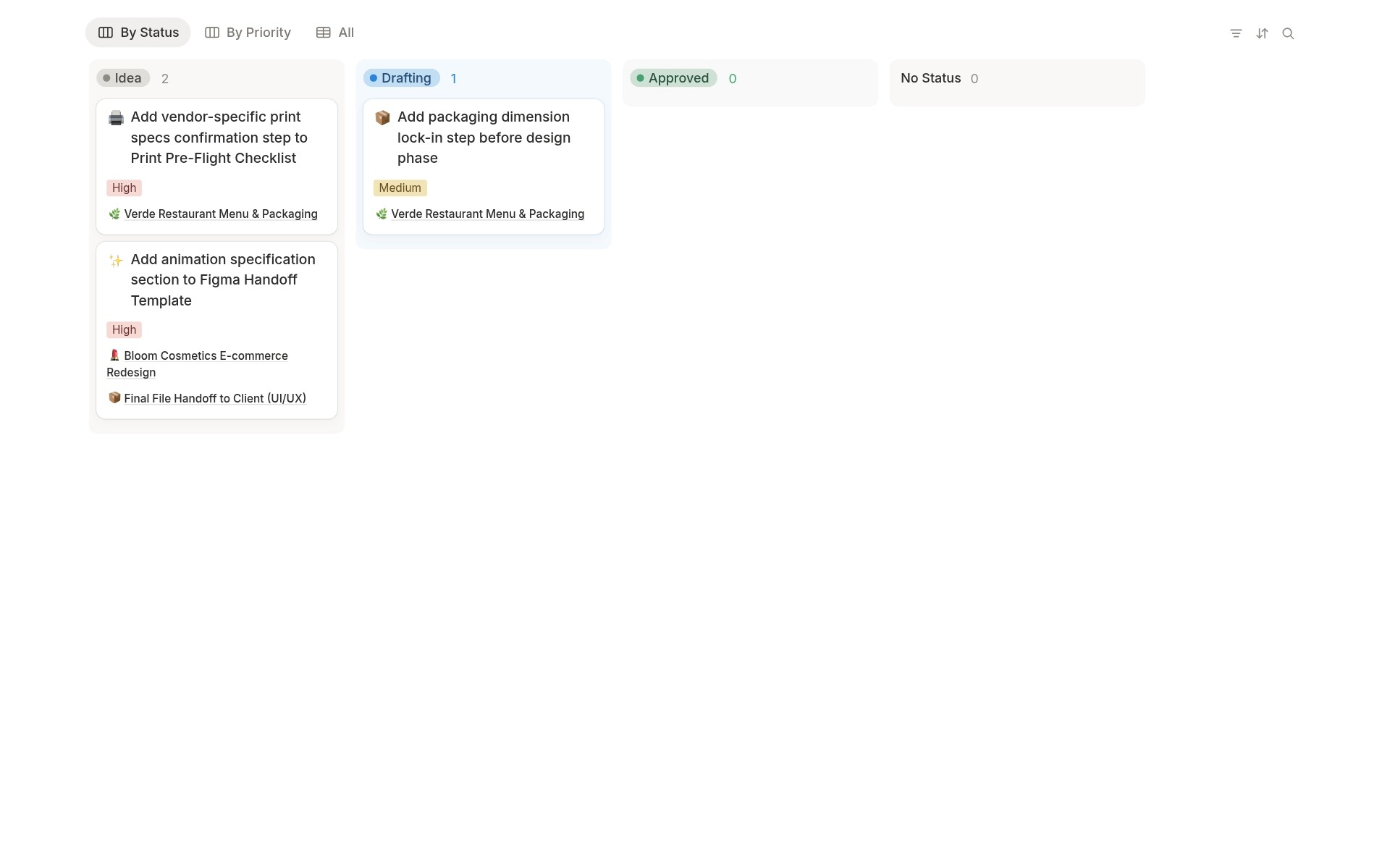
SOPs link to Processes, Processes link to Projects, Projects link to SOPs actually used, Projects generate Improvement Queue, Improvement Queue links back to SOPs, Departments own SOPs and lead Processes, Resources support SOPs. Full traceability.
Approval and Deprecation Workflow
Three-status SOP lifecycle: Draft (being written), Approved (current and enforced), Deprecated (outdated, replaced). Clear version control without multiple files.
How It Works
Build Processes
Combine SOPs into end-to-end processes. Set department sequence showing handoffs. Document known failure points. Upload process flowcharts.
Connect to Projects
When running projects, link to SOPs and Processes actually used. Track which procedures you follow. Rate quality. Document lessons learned in the retrospective phase.
In ongoing cycles, you transform from static PDFs to living documentation that improves based on actual project experience.
Key Features
Living SOP Management
Three-Status Lifecycle
Draft (being written, not enforced), Approved (current standard, team follows), Deprecated (outdated, replaced by newer SOP). Clear version control without file chaos.
Complexity Rating
The 5-level system indicates SOP difficulty. New team members start with ⭐ and ⭐⭐ SOPs. Complex ⭐⭐⭐⭐⭐ SOPs require senior review. Training plans based on complexity progression.
Department Ownership
Every SOP is assigned to the owner department. Client Services owns briefing SOPs. Creative Direction owns design approval SOPs. Design & Production owns file delivery SOPs. Clear responsibility.
Process Orchestration
End-to-End Workflows
Processes combine multiple SOPs into complete workflows. "Brand Identity Kickoff" process includes Brief Template + Moodboard Presentation + Kickoff Meeting SOPs. See full picture.
Department Sequence
Processes show handoff flow across departments. "Brand Identity Kickoff: Client Services → Creative Direction." "UI/UX Delivery: Design & Production → QA → Client Services." Identify handoff failure points.
Process Calendar
Calendar view shows processes by end date. Plan process reviews. Track process duration. Optimize workflow timing.
Project Integration
SOPs Actually Used
Projects linked to the SOPs team were actually followed. Not "should have used." Actual usage data. Identify SOPs being ignored. Remove unnecessary procedures.
Lessons Learned Capture
Every project includes lessons learned field. Document what went wrong, which SOP failed, and what should change. Example: "Verde project: Print Checklist missing vendor-specific specs, caused 3-day delay."
Phase Tracking
Four-phase workflow (Briefing → Concepting → Delivery → Retrospective) with status property. See project pipeline. Ensure retrospectives happen. Capture improvements systematically.
Department Management
Clear Ownership
Departments own SOPs and lead Processes. Board view shows SOPs by department. See each team's procedures. Identify gaps ("Design & Production has no QA SOPs").
Team Assignment
Departments include team member assignments and backups. Know who's responsible. Handle absences smoothly. Onboard new team members to department SOPs.
Core Responsibilities
Documented responsibilities for each department. New team members understand role. Clarify overlaps. Resolve ownership disputes.
Resource Library
Linked to SOPs
Resources connect to SOPs using them. "Creative Brief Questionnaire" used in "Client Brief Template" SOP. Click SOP, see all resources. No hunting for templates.
File Upload Support
Upload actual files to Resources. Figma templates, checklist PDFs, training videos, and tool scripts. Everything is accessible from Notion.
Last Updated Tracking
Resources track the last updated date. Know which templates need to be refreshed. Keep resources current alongside SOPs.
Perfect For
Design Agencies and Studios
Establishing consistent processes across Brand Identity, UI/UX, Print, Web, Packaging, Social Media, and Illustration projects.
Creative Directors
Enforcing quality standards and design processes across the design team.
Agency Operations Managers
Systematizing agency operations with living, connected procedures.
Growing Design Teams
Onboarding new designers with documented procedures and clear expectations.
Quality-Focused Agencies
Maintaining consistency across projects and measuring quality systematically.
Client-Facing Teams
Standardizing client experiences with documented client-facing processes.
Stop Documenting. Start Improving.
Are you ready to stop writing procedures nobody follows and start building a continuous improvement system where every project makes your SOPs better, quality becomes measurable, and consistency becomes systematic across all 7 project types from Brand Identity to UI/UX to Packaging?