Newsletter OS
Write. Ship. Grow. Systematically.
The complete newsletter operating system that helps you manage ideas, produce content, track performance, and repurpose for maximum reach without scattered docs and missed deadlines.
You want to write a newsletter. You have ideas scattered in notes, random docs, and voice memos. When it's time to write, you stare at a blank page, wondering which idea to develop. You finally publish an issue. It performs well. You want to repurpose it for Twitter, LinkedIn, and YouTube. But there's no system. Content sits unused while you scramble for next week's newsletter. You have no idea which topics resonate. You don't track performance systematically. You repeat ideas without realizing. Your newsletter feels chaotic instead of strategic.
- Newsletter ideas scattered across notes apps, voice memos, and random documents - No systematic way to evaluate and prioritize which ideas to develop - Starting from blank page every week, wondering what to write about - Missing deadlines because there's no production workflow - Published newsletters with no performance tracking or learning - Great content that sits unused instead of being repurposed across platforms - No archive of past conten,t so you repeat topics or forget what performed well - Feeling overwhelmed by newsletter management instead of energized by creating
Newsletter OS transforms newsletter chaos into a systematic operating system with four connected databases managing your complete content lifecycle: capture ideas and evaluate them with automatic priority scoring, produce newsletters through structured workflows, archive published issues with performance tracking, and repurpose content across platforms, all in one organized Notion system. Instead of scattered notes and blank page paralysis, you capture ideas in a structured hub with 9 evaluation dimensions, automatic priority formulas tell you what to write next, production workflows guide drafts through review to publication, archives track open rates and click rates with performance scores, and repurposing pipelines turn one newsletter into 10+ pieces of content. Systematic newsletter management at scale.
What´s Included
Ideas Hub Database
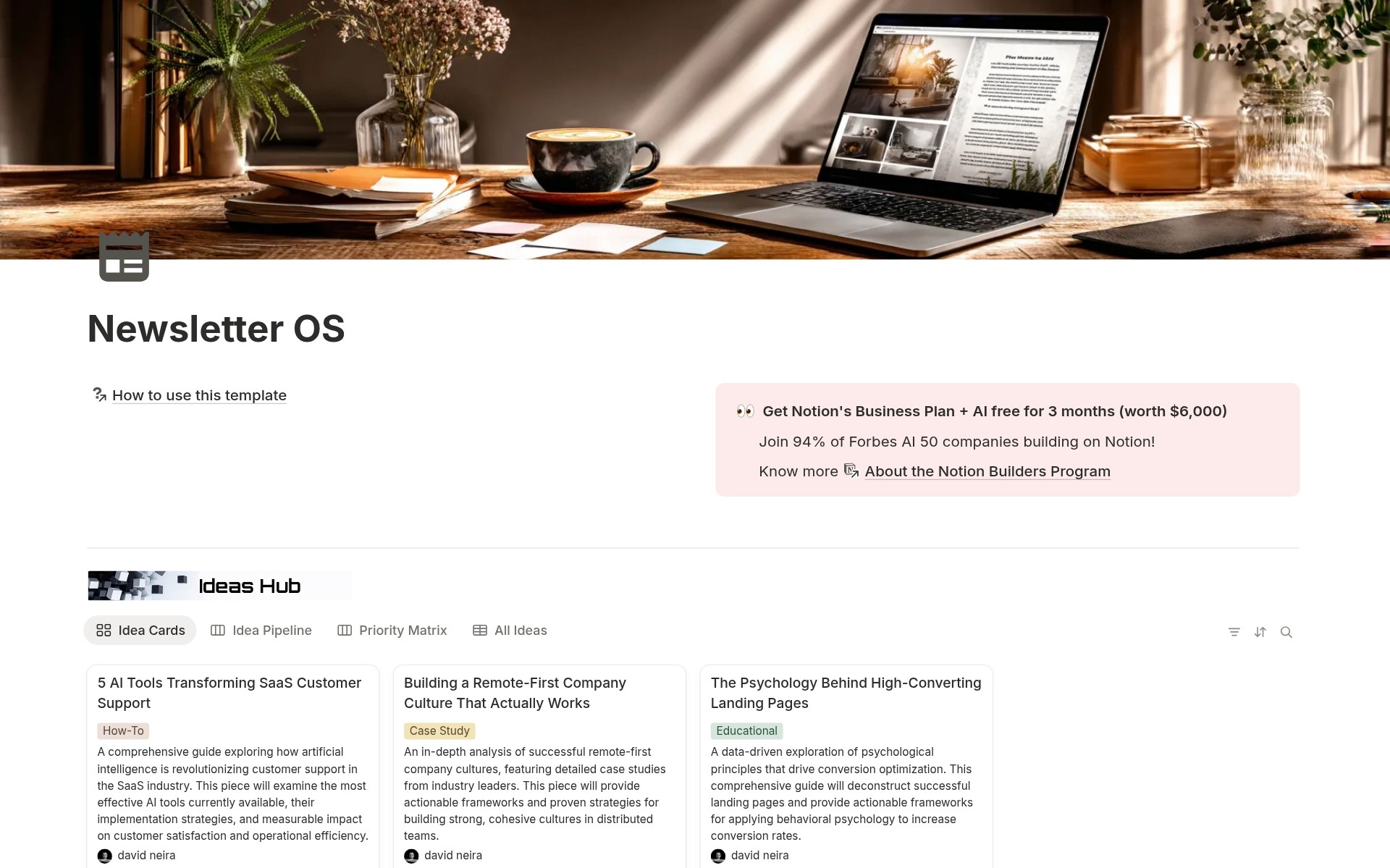
Capture and evaluate newsletter ideas with titles, descriptions, content outlines, categories, keywords, target audience levels, status workflow, 9 scoring dimensions, automatic priority formula calculating Critical/High/Medium/Low, target publish dates, writer assignments, feedback summary, and links to newsletter production.
Newsletter Production Database
Manage newsletter writing and publishing with titles, issue numbers, content types, writer and editor assignments, status workflow, content deadlines, review deadlines, target publish dates, actual publish dates, estimated read time, word count, key topics, key takeaways, call to action, editorial notes, month and quarter organization, special issue flags, links to original ideas and archive.
Newsletter Archive Database
Track performance of published newsletters with titles, issue numbers, publish dates, subscriber counts, open rates, click rates, unsubscribe counts, automatic performance score formula, content type, read time, word count, archive links, tags, lessons learned, and links back to source production.
Automatic Priority Formulas
Ideas Hub uses a weighted formula calculating priority from Impact Score, Viability Rating, Priority Score, Innovation Rating, inverted Effort Score, plus Feasibility modifiers. Outputs Critical/High/Medium/Low priority automatically. Never guess what to write next.
Performance Tracking Formulas
Archive calculates the performance score from Open Rate, Click Rate, and Unsubscribe count with Excellent/Good/Average/Poor/Critical labels. Repurposing Hub calculates Engagement Rate and Performance Score from views, clicks, and conversions. Know what works.
Complete Connected Workflow
Ideas link to Newsletter Production. Newsletter Production links to Archive. Archive links back to Production. Production links to Repurposing Hub. Complete content lifecycle visibility and traceability.
How It Works
Produce Newsletter
Move prioritized ideas to Newsletter Production. Write content, set deadlines, assign editor, track through status workflow (Draft → In Review → Approved → Scheduled → Sent). Ship on time, every time.
Repurpose Content
Turn high-performing newsletters into 10+ pieces of content. Create entries in Repurposing Hub for Twitter threads, LinkedIn articles, YouTube scripts, etc. Track creation status, publish dates, and performance metrics. Multiply your reach.
In 30 minutes, you transform from scattered chaos to a systematic newsletter operation.
Key Features
Systematic Idea Management
Never Lose an Idea
Capture every newsletter concept in Ideas Hub the moment it occurs. No more forgotten brilliance in random notes. Structured fields capture title, description, outline, and context.
9-Dimension Evaluation Framework
Score ideas objectively across Impact Score (1-10), Viability Rating (1-10), Priority Score (1-10), Innovation Rating (1-10), Effort Score (1-10), plus Feasibility (Easy/Moderate/Challenging/Complex), Target Audience, Category, and more. Systematic evaluation replaces gut feeling.
Automatic Priority Calculation
The weighted formula combines scores into a single priority rating: Critical (score ≥8.5), High (7.0-8.4), Medium (5.5-6.9), Low (<5.5). System tells you what to write next based on data, not whim.
Structured Production Workflow
Status-Driven Publishing
Track newsletters through Draft → In Review → Approved → Scheduled → Sent → Archived. Know exactly where each issue stands. No more "did we publish that?" confusion.
Deadline Management
Three deadline types: Content Deadline (when writer finishes), Review Deadline (when editor completes), Target Publish Date (when you ship). The timeline view shows all deadlines. Calendar view prevents conflicts.
Writer and Editor Assignment
Assign specific writers and editors to each issue. Scale newsletter production across the team. Track who's responsible for what.
Performance Intelligence
Automatic Performance Scoring
Archive formula calculates 0-10 Performance Score from (Open Rate / 6) + (Click Rate / 2) - (Unsubscribed / 20). Score maps to label: Excellent (≥8), Good (≥6), Average (≥4), Poor (≥2), Critical (<2). Objective performance measurement.
Top Performers View
Gallery view sorted by Performance Score shows your best content. Study what works. Replicate success patterns.
Lessons Learned Documentation
Text field on Archive entries captures specific insights: "AI tool roundups perform exceptionally well. Readers love specific, actionable recommendations with pricing." Build institutional knowledge.
Content Repurposing System
11 Platform Options
Repurpose newsletters into LinkedIn Post, LinkedIn Article, Twitter Thread, Twitter Single Post, YouTube Video, YouTube Short, Instagram Post, TikTok, Podcast Episode, Blog Post, or Medium Article. Turn one newsletter into 10+ pieces.
Repurposing Pipeline Board
Kanban view groups content by status: Idea → In Creation → Ready for Review → Approved → Scheduled → Published → Archived. Manage multi-platform content creation systematically.
Distribution by Platform View
Board view groups by platform. See all LinkedIn content together. All Twitter content together. Ensure balanced distribution across channels.
Comprehensive Analytics
Engagement Metrics
Repurposing Hub tracks Views/Impressions, Clicks, and Conversions for every piece. Engagement Rate formula calculates performance. Know what drives action on each platform.
Platform Performance Comparison
Compare engagement rates across platforms. Discover Twitter threads outperform single posts. LinkedIn articles beat short posts. Optimize platform mix based on data.
Lessons Learned Per Platform
Document platform-specific insights: "LinkedIn audience responds well to detailed implementation advice" or "Twitter loves specific data and metrics." Improve continuously.
Connected Content Lifecycle
Ideas to Production
Ideas Hub entries link to Newsletter Production. Track which idea became which published newsletter. Maintain creative lineage.
Production to Repurposing
Newsletter Production links to Content Repurposing Hub. See all repurposed content created from each newsletter. Maximize content ROI.
Production to Archive
Newsletter Production links to Archive. Archive links back to Production. Complete bidirectional visibility between draft and published performance.
Content Type Organization
6 Newsletter Content Types
Weekly Digest (regular updates), Feature Story (deep dives), Tutorial (how-to guides), Case Study (success stories), Industry Update (news), Opinion Piece (perspectives). Organize by format and intent.
7 Repurposed Content Types
Social Post, Long-form Article, Video Script, Audio Script, Visual Content, Thread/Carousel, Infographic. Match format to platform and message.
12 Idea Categories
Product, Marketing, Process, Strategy, Creative, Technical, Educational, Industry News, How-To, Case Study, Opinion, Personal Story. Categorize at the concept stage for better planning.
Perfect For
Newsletter Writers and Creators
Publishing newsletters regularly and needing systematic management for ideas, production, and performance tracking.
Content Creators and Influencers
Writing newsletters as part of a multi-platform content strategy and wanting systematic repurposing workflows.
Marketing Teams
Managing newsletter programs with multiple writers, editors, and stakeholders requires collaboration and visibility.
Solopreneurs and Freelancers
Building audiences through newsletters and needing lightweight but comprehensive management without expensive tools.
Thought Leaders and Consultants
Sharing expertise through newsletters and wanting to maximize content ROI through systematic repurposing.
Anyone Serious About Newsletter Growth
Committed to treating your newsletter as a strategic asset, not a random hobby. Wanting data-driven improvement and systematic content leverage.
Stop Scrambling. Start Systematizing.
Newsletter OS gives you Ideas Hub with 9-dimension evaluation and automatic priority formula that tells you exactly what to write next, Newsletter Production with deadline management and status workflows so you never miss a ship date, Archive with performance tracking and automatic scoring so you know what resonates, and Content Repurposing Hub that turns one newsletter into 10+ pieces across 11 platforms, so you stop scrambling weekly and start building a systematic newsletter operation that compounds value. Are you ready to stop feeling overwhelmed by newsletter chaos and start managing your content like the strategic asset it deserves to be?