Wiki Builder
Build Your Knowledge Hub. Fast.
The complete wiki system that helps you create, organize, and maintain internal documentation, tutorials, and guides without scattered Google Docs and outdated information.
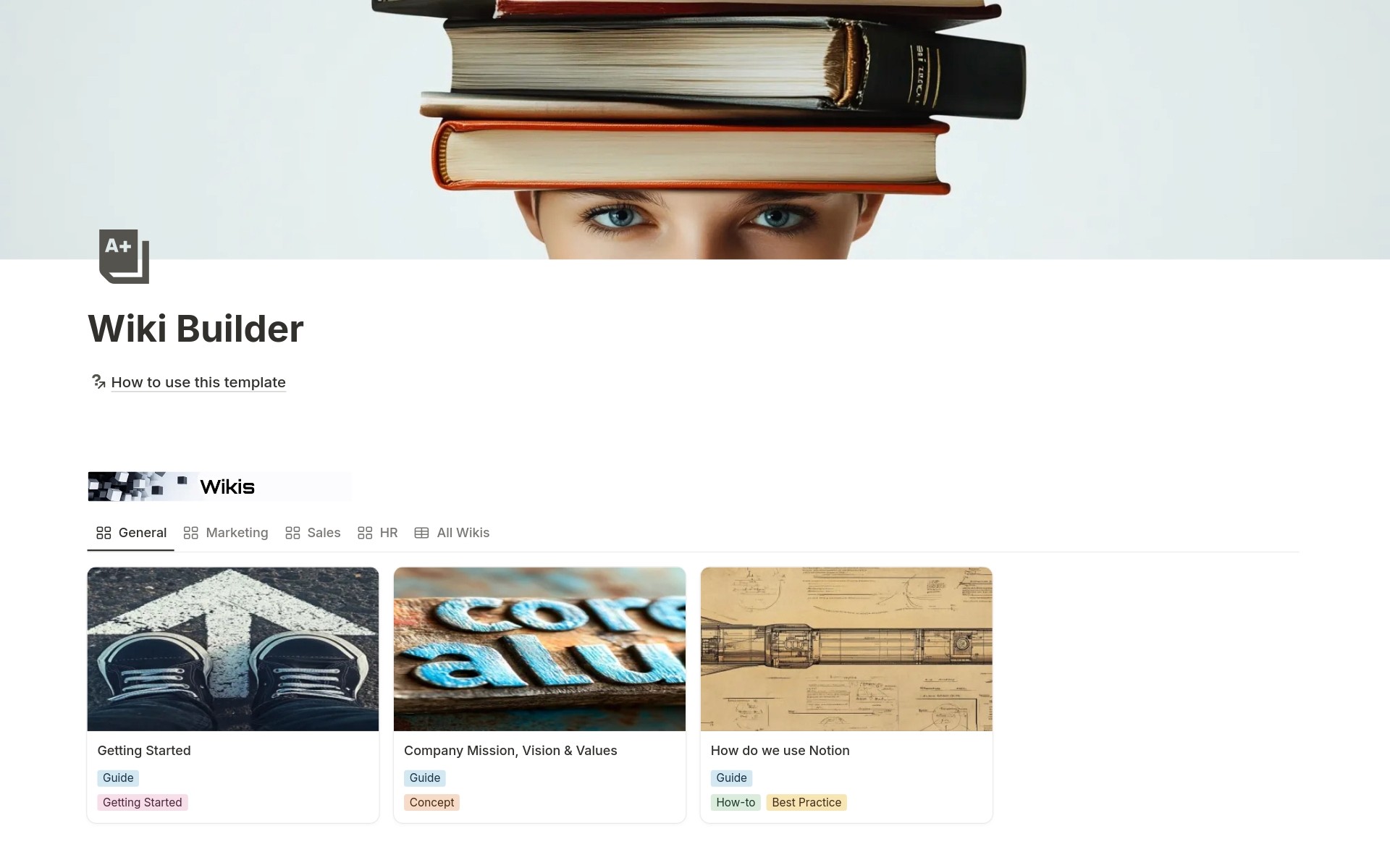
Your team creates documentation. SOPs in Google Docs. Product guides in Confluence. Onboarding resources in scattered folders. FAQs in Slack messages are pinned somewhere. A new employee asks how something works. You remember writing documentation six months ago. But where? Engineering folder? Marketing folder? Was it even updated when the process changed? They spend an hour searching, find outdated instructions, and ping you anyway. Your documentation exists but isn't discoverable, organized, or maintained.
- Knowledge scattered across Google Docs, Confluence, folders, and Slack pins - New team members can't find documentation for basic processes - No one knows what's published, what's a draft, what's being reviewed - Outdated articles with incorrect information because updates aren't tracked - No systematic categorization by department, skill level, or content type - Resources and references are buried where they can't be found - Every team creating their own documentation structure without consistency - Knowledge silos where marketing can't find engineering docs and vice versa
Wiki Builder transforms scattered documentation into an organized knowledge hub where every article, tutorial, and resource is categorized, tagged, searchable, and systematically maintained. Instead of hunting through folders for documentation, you create wiki articles with clear categories (Tutorial, Guide, Reference, Documentation, How-to, Concepts, FAQ, Troubleshooting), organize by department (Engineering, Product, Sales, Marketing, HR, General), tag by content type, track through status workflows (Draft → In Review → Published), and link to related resources. Everything discoverable, nothing outdated.
What´s Included
Wiki Articles Database
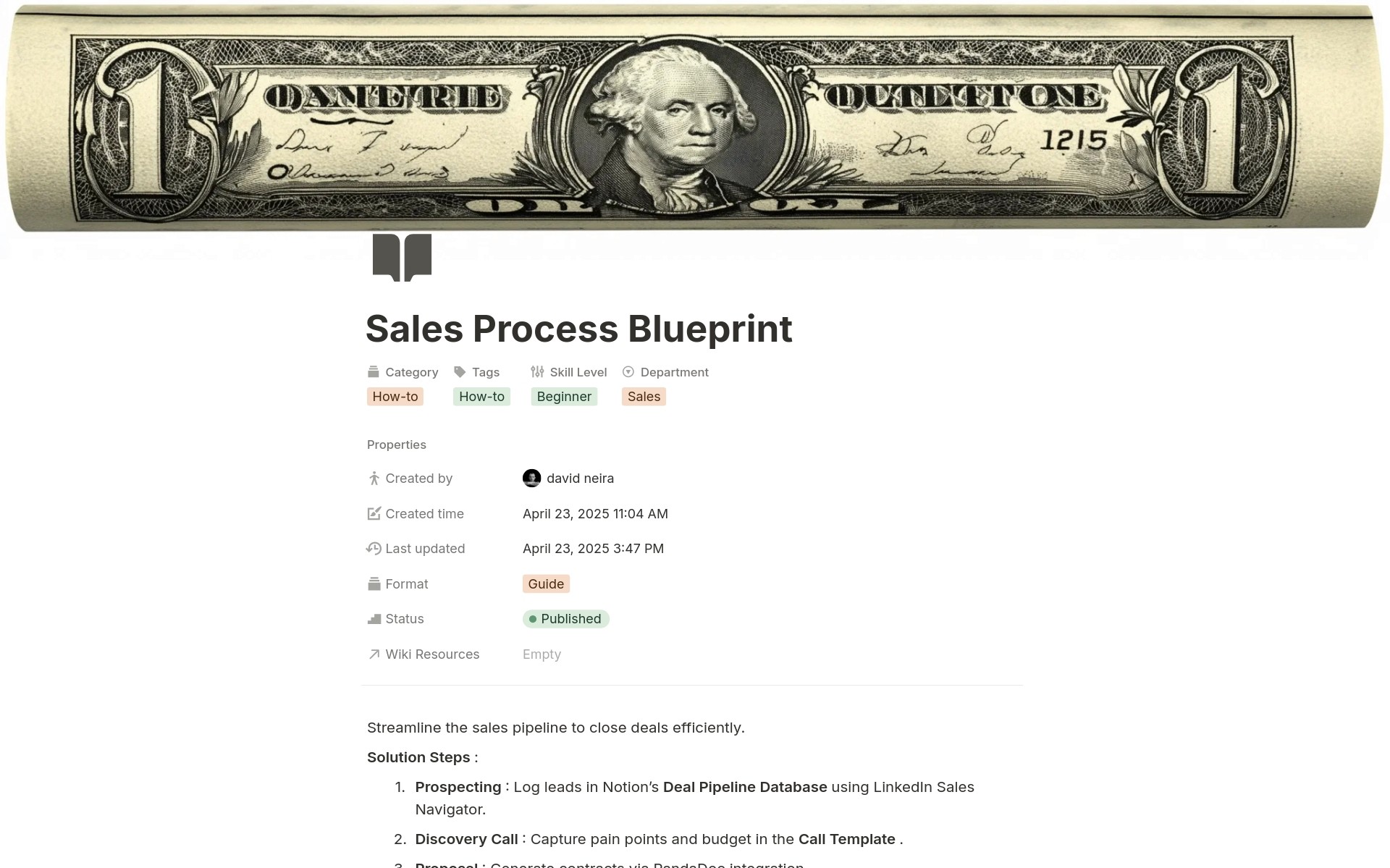
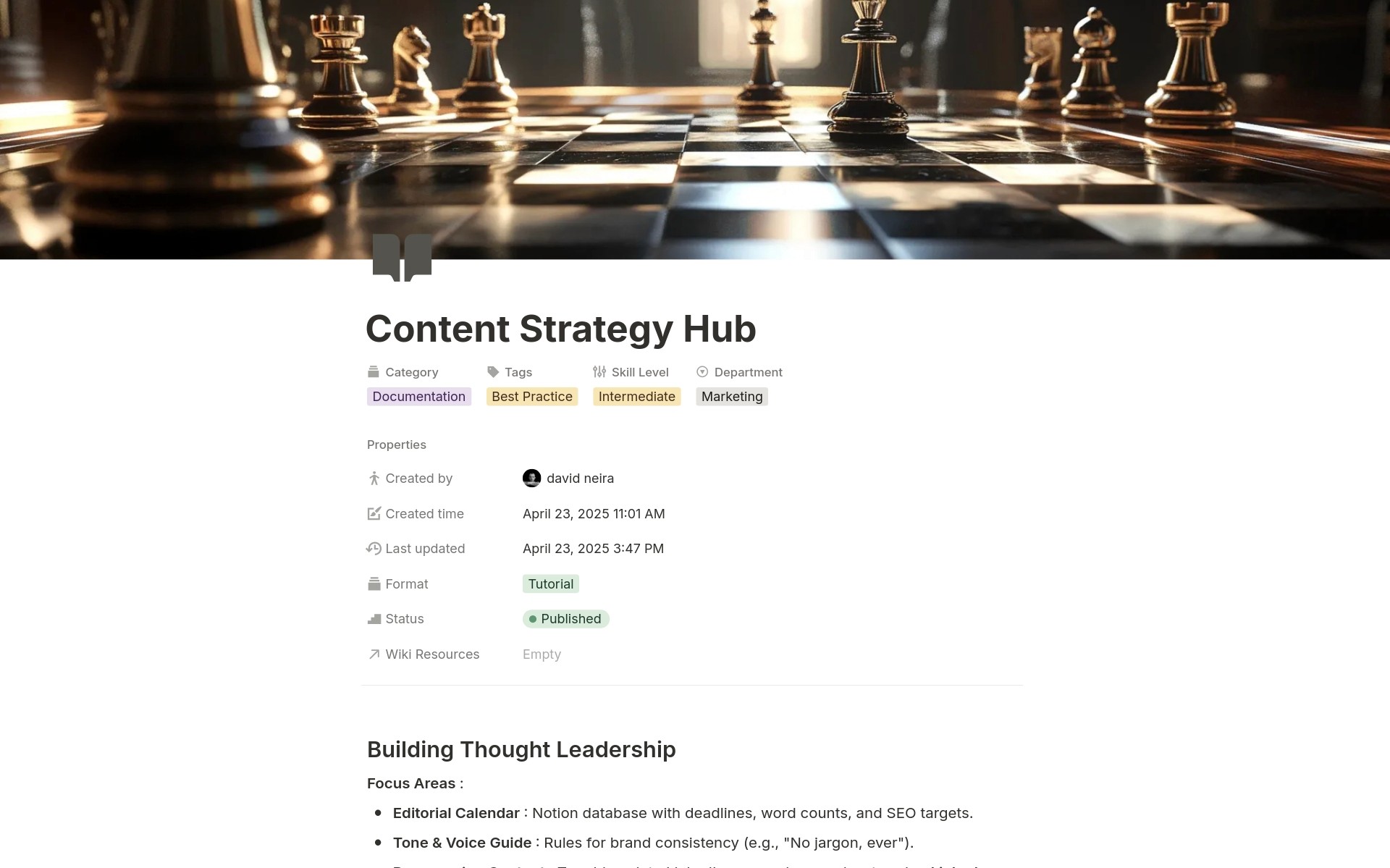
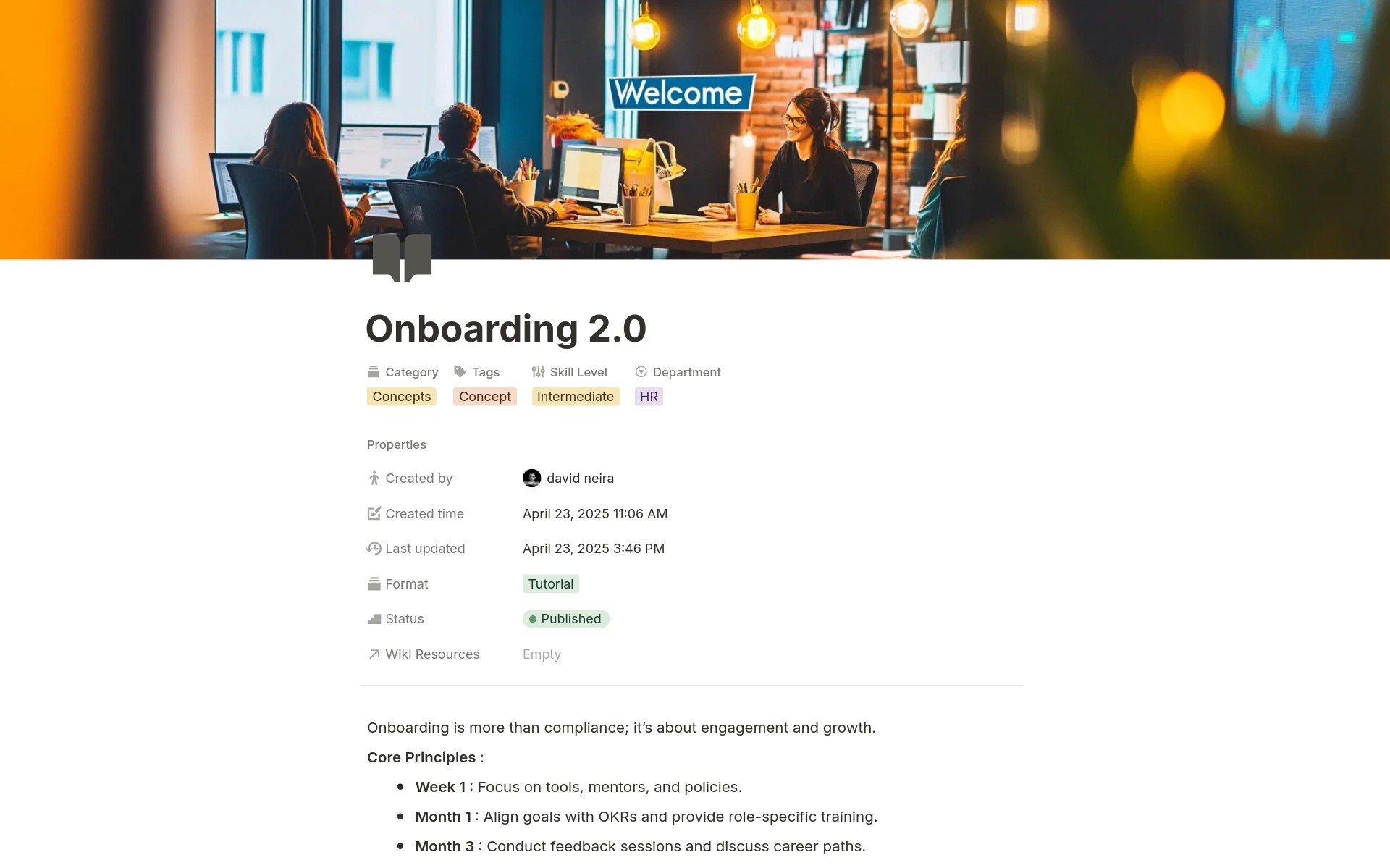
Create comprehensive documentation with article names, categories, departments, formats, skill levels, status workflow, multi-select tags, author tracking, creation dates, last updated timestamps, and links to related resources.
Wiki Resources Database
Manage supporting resources with names, URLs, categories, status tracking, notes, addition dates, and links to wiki articles that reference each resource.
Department-Based Views
Separate gallery views for General, Marketing, Sales, HR, Engineering, and Product departments. Teams find relevant documentation instantly without filtering through irrelevant content.
Multi-Dimensional Categorization
Organize by category, department, format, skill level, and tags. Find documentation from any angle.
Connected Resources
Link articles to external resources. Link resources back to articles that reference them. Create a connected knowledge graph instead of isolated documents.
Author and Timestamp Tracking
Automatic author attribution, creation dates, and last updated timestamps. Know who created what, when it was published, and whether it's current or stale.
How It Works
Link Resources
Add external resources (videos, articles, tools) to the resources database. Link resources to relevant wiki articles. Create connections between documentation and supporting materials.
Organize and Publish
Use status workflow to track drafts through review to published. Organize articles by department. Tag for discoverability. Your knowledge base becomes systematically organized.
In less than one hour, you'll have an organized wiki with clear structure for ongoing documentation.
Key Features
Systematic Organization
8 Content Categories
Tag articles as Tutorial (step-by-step instructions), Guide (comprehensive overviews), Reference (quick lookups), Documentation (technical specs), How-to (task-focused), Concepts (theory and principles), FAQ (common questions), or Troubleshooting (problem-solving). Users know what format to expect.
Department-Based Structure
Organize documentation by Engineering, Product, Sales, Marketing, HR, or General. Dedicated views for each department mean teams find their documentation without wading through irrelevant content from other departments.
6 Content Formats
Classify content as Article (written), Video (recorded), Tutorial (instructional), Guide (comprehensive), Documentation (technical), or Reference (quick lookup). Match format to learning style.
Content Lifecycle Management
Status Workflow Tracking
Move articles through Draft (work in progress), In Review (pending feedback), and Published (live for the team). Know exactly what's ready, what needs review, and what's still being written.
Author Attribution
Automatically track who created each article. When questions arise about documentation, teams know who to ask. Ownership is clear.
Timestamp Tracking
Creation dates and last updated timestamps are tracked automatically. Sort by recently updated to find fresh content. Identify stale articles that haven't been touched in months and need review.
Multi-Dimensional Tagging
Ready-to-Use Tags
Tag articles with Tutorial, Reference, How-to, Concept, Best Practice, Troubleshooting, or Getting Started. Multi-select tags mean one article can be both Reference and Best Practice. Find documentation by theme, not just category.
Cross-Functional Discovery
Sales team searching for onboarding content? Filter to the Getting Started tag across all departments. Engineering is looking for best practices? Filter to the Best Practice tag. Tags enable discovery beyond departmental silos.
Custom Tag Creation
Included tags cover common needs, but add custom tags for your organization (Security, Compliance, Client-Facing, Internal-Only, etc.). Adapt the system to your knowledge structure.
Connected Resources
External Resource Library
Track external resources (articles, videos, papers, books, tools, guides) in a dedicated database. Store URLs, categories, notes, and addition dates. Your team's curated learning library.
Article-to-Resource Linking
Connect wiki articles to relevant resources through database relations. Tutorial articles link to supporting videos. Troubleshooting guides link to relevant tools. Context and resources together.
Bidirectional Relationships
From wiki articles, see the linked resources. From resources, see which articles reference them. Navigate knowledge connections in both directions.
Visual Gallery Views
Department Gallery Views
Beautiful card-based layouts with page covers make browsing documentation feel natural. Each department gets a dedicated gallery view showing only their articles, with categories and tags visible.
Cover Image Support
Add cover images to wiki articles for visual recognition. Create visually appealing documentation that's easy to scan and navigate.
Clean Card Displays
Gallery cards show article names, categories, and tags at a glance. Quickly identify content type and relevance without opening articles.
Full-Page Content Areas
Unlimited Documentation Space
Each wiki article is a complete Notion page. Write long-form documentation with formatting, images, embedded content, tables, code blocks, or whatever your documentation requires.
Rich Formatting Options
Use Notion's full formatting capabilities: headings, bullet lists, numbered lists, callouts, toggles, code blocks, tables, and more. Create beautiful, functional documentation.
Embedded Content
Embed videos, Figma designs, Loom recordings, Google Docs, or any embeddable content directly in wiki articles. Keep documentation rich and comprehensive.
Perfect For
Growing Startups
Scaling teams and needing centralized documentation so new hires onboard faster and processes stay documented as you grow.
Remote and Distributed Teams
Working across locations and time zones where async communication through comprehensive documentation is critical.
Engineering Teams
Documenting technical systems, APIs, architecture decisions, deployment processes, and troubleshooting guides.
Product Teams
Creating product documentation, feature guides, user flows, and product knowledge bases for internal teams and customer success.
Operations Teams
Systematizing processes through SOPs, checklists, troubleshooting guides, and operational documentation.
HR and People Teams
Building employee handbooks, onboarding guides, policy documentation, and benefits information for team members.
Stop Searching. Start Finding.
Wiki Builder gives you systematic organization with categories, departments, and skill levels. Hence, teams find relevant docs instantly, status workflows that track what's published versus draft, timestamp tracking that identifies stale content needing updates, and connected resources that link articles to supporting materials. Hence, your knowledge becomes discoverable, trustworthy, and actually used. Are you ready to stop watching documentation disappear into folder chaos and start building a knowledge hub where every team member finds what they need in seconds, not minutes?